About this Project
Every home gateway has a web page of its own — the place you type an address into a browser to change the Wi-Fi password, open a port, or read the log. On Actiontec’s gateways that page followed the structure of OpenWrt: complete, and built for the engineer who wrote it.
NCS is its redesign as a network configuration service that any ISP can ship under its own logo, on desktop and on mobile web. I led the design: the scope, the information architecture, and the pages themselves — some sixty of them, from the setup wizard to the firewall. The main design wrapped up in early 2025; since then the work has been fixes and refinements.
Process
The following illustrates the process I went through for this project:
Define
Learn
Design
Build
Validate
Audited every legacy page and sorted each into redesign, restyle, keep, merge, or later.
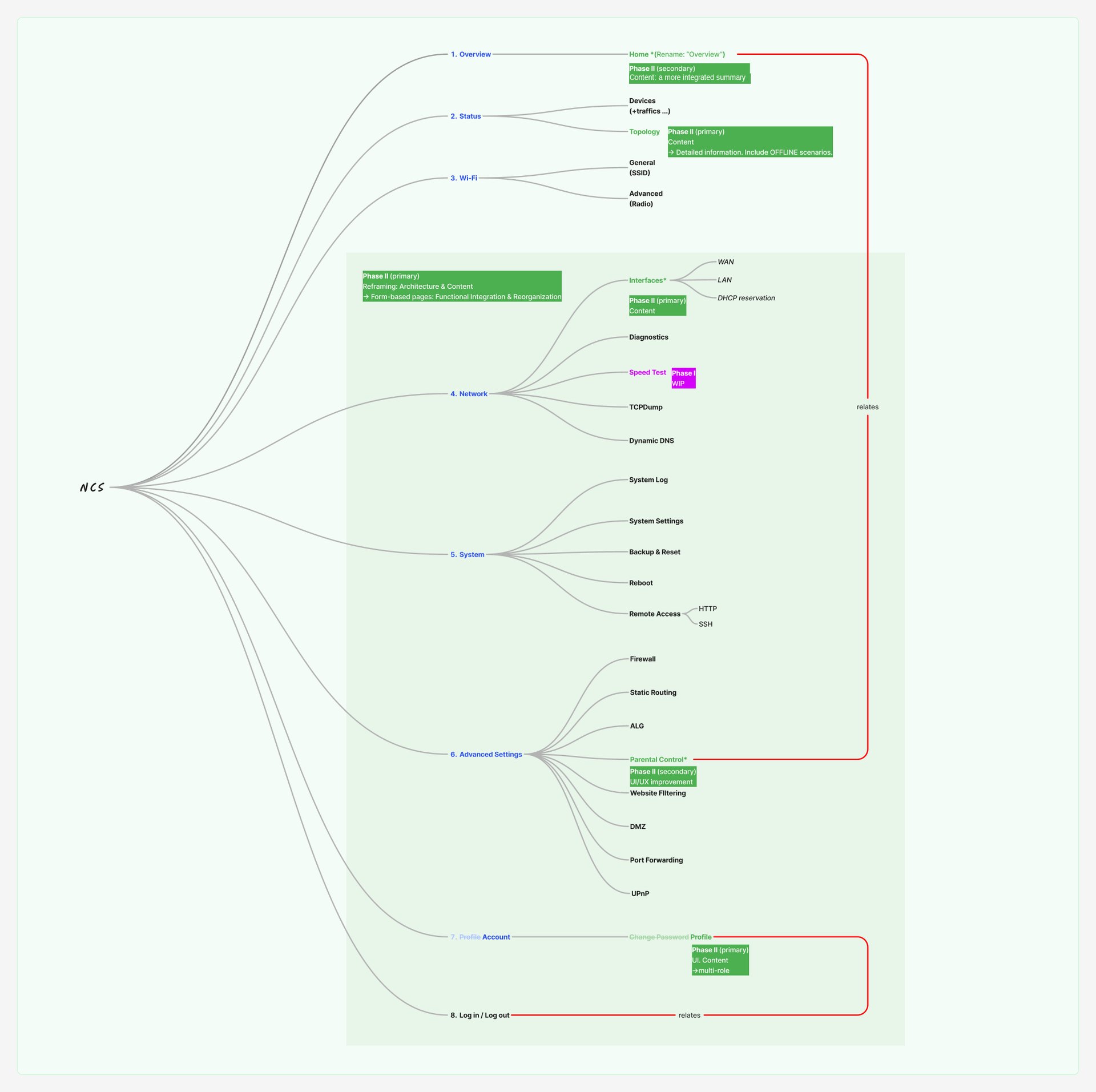
Rebuilt the OpenWrt-style menu into eight sections, led by what a household opens first.
Jul 2024 The setup wizard, then the Internet and LAN interfaces and port forwarding.
Aug Parental control.
Sep Security and the firewall.
Phase one: the new look on every page, with a new Home and Topology.
Challenges
How do we redesign a product that can’t stop shipping?
The router interface was already in customers’ homes. Rewriting every page at once would have stalled every release behind it.
How do we make a technical menu readable without hiding what experts need?
The same pages serve a subscriber setting up Wi-Fi and a technician configuring a static route.
Insights
Redesign in phases, not in one leap.
I split the work into three phases. First, replace the styles without altering content — except Home and Topology, which were redesigned outright. Then gradually rework the structure of each page. Last, refine details, icons and polish. Before any of it, every legacy page was sorted: fully redesign, restyle and keep its function, keep as is, merge into another page, or leave out of the first release.
Structure follows the household, not the firmware.
The feature map has eight sections: Overview, Status, Wi-Fi, Network, System, Advanced Settings, Account, and sign-in. Home was renamed Overview; the Internet, backup and LAN settings were merged into one set of interfaces; features only experts need moved to Advanced Settings.
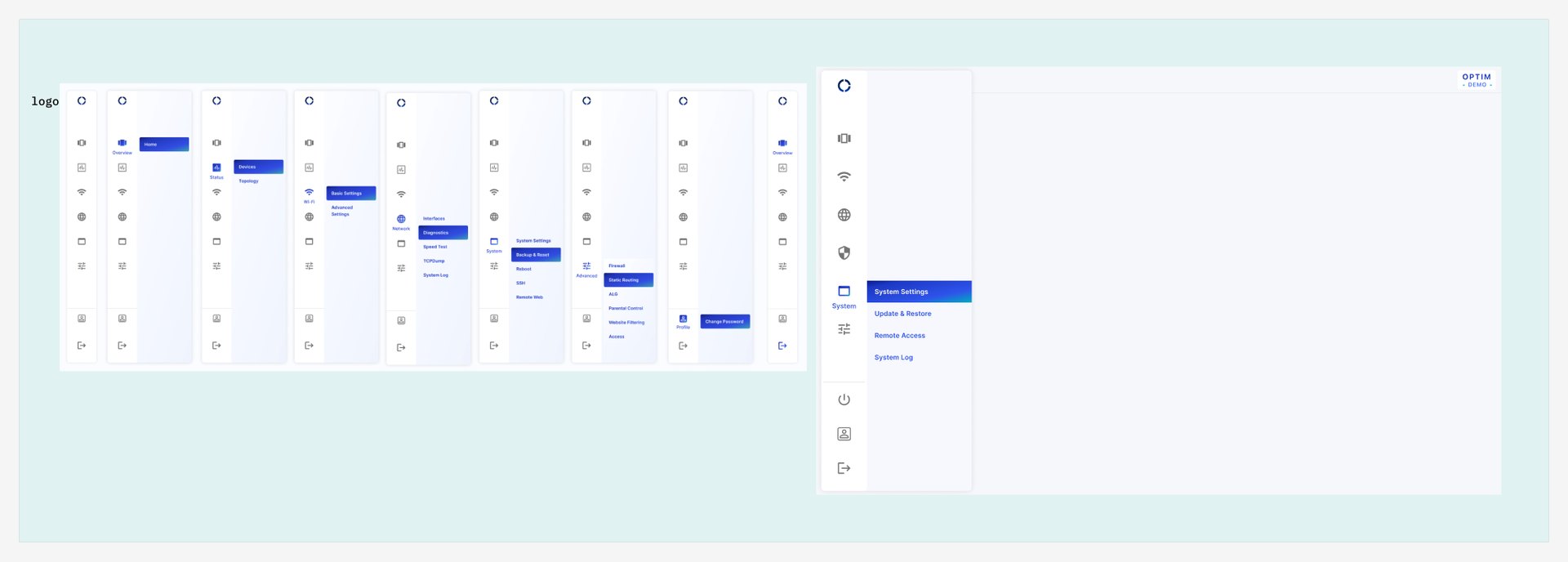
A menu that remembers where you are.
Only one group of the sidebar opens at a time; picking a page collapses the others, and coming back opens only the level you were on. On desktop the sidebar folds into an icon rail that expands on hover. Home cards expand one at a time, and on mobile a card’s detail slides in over the whole screen.
Say what a setting costs.
Where a setting has a trade-off, the page says so beside it — for example, that turning on DFS may change the channel and bandwidth the router actually uses. Remote access expires after fifteen minutes, for security. And where the backend can’t yet support something, it isn’t drawn as if it could: those controls wait for a later release.
White-label means designing for someone else’s logo.
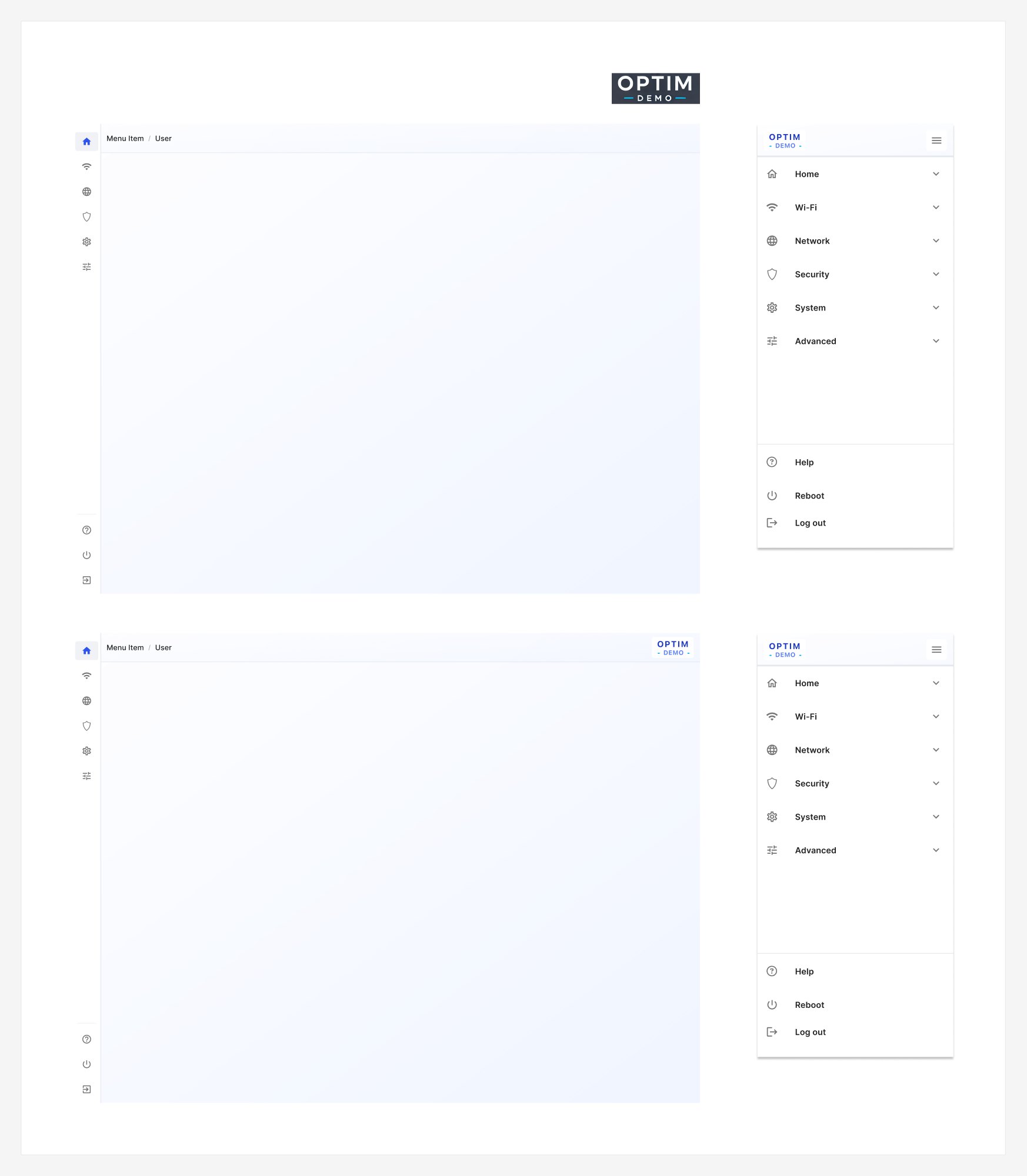
Every shell was drawn with and without an ISP’s logo — in the header on desktop, at the top of the drawer on mobile — so the product holds together whichever brand it carries. A separate variant serves plain OpenWrt.
Feature by feature
Every feature page in the design document, in the order of the sidebar. Where the notes record a problem and how it was solved, it is written out beside the key screen; the rest are shown together at the end of each section.
Home
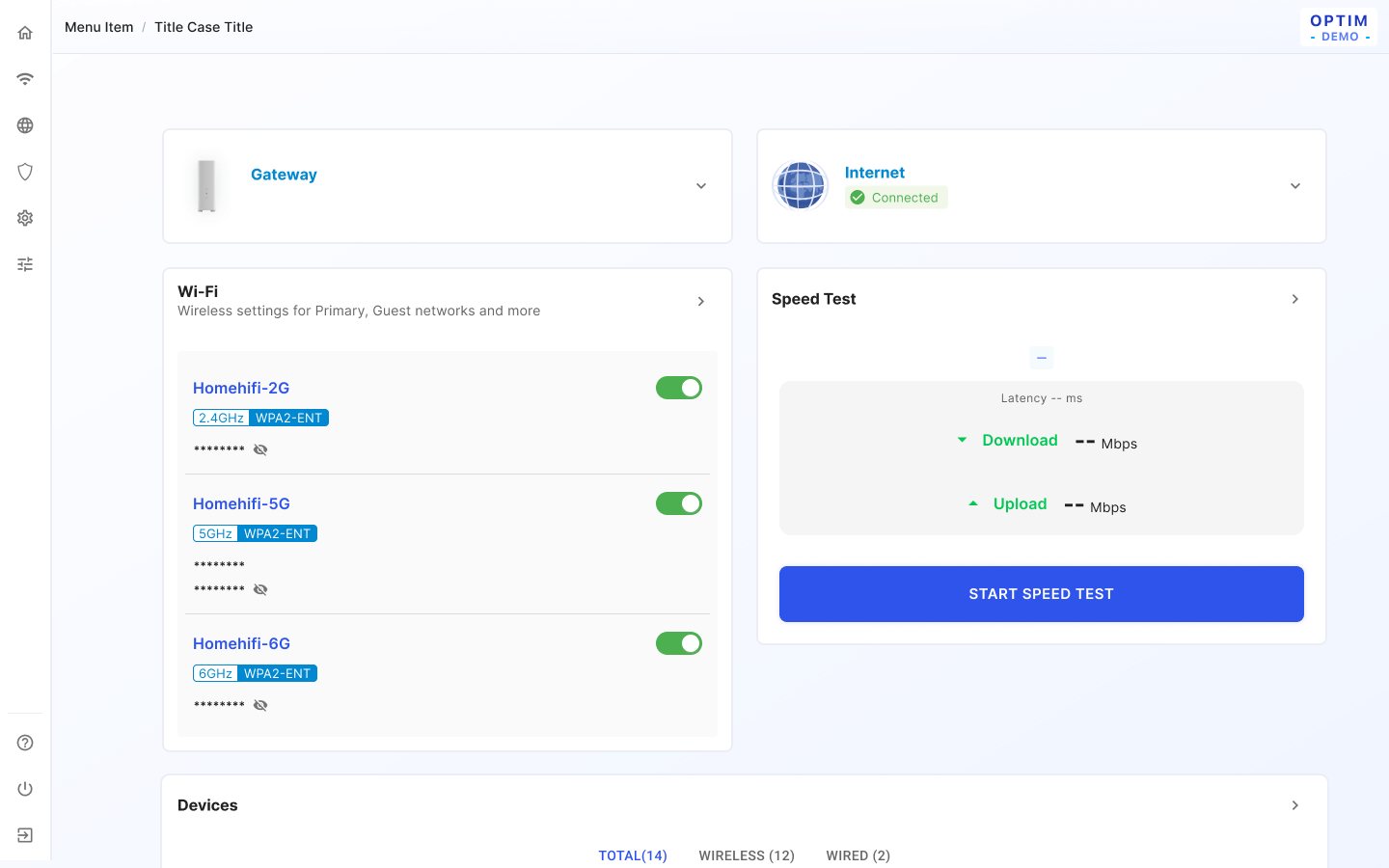
Home overview
Problem
The home screen has to explain an Internet outage whose cause differs ("by WAN is unplugged", "by Internet issue", "by Router is off"), a speed test that can't run when the WAN is down, and fibre (PON) readings that may be missing or out of range.
Solution
Each card opens in place or as a whole-screen slide-in; the Internet card shows PON power, voltage, bias and temperature against min/max, with "The optical signal is out of range." when received power falls outside −27 to −9 dBm and "No data" when no fibre information is returned. A speed test started from Home runs in the background and reports back in a toast that lasts 5 seconds.
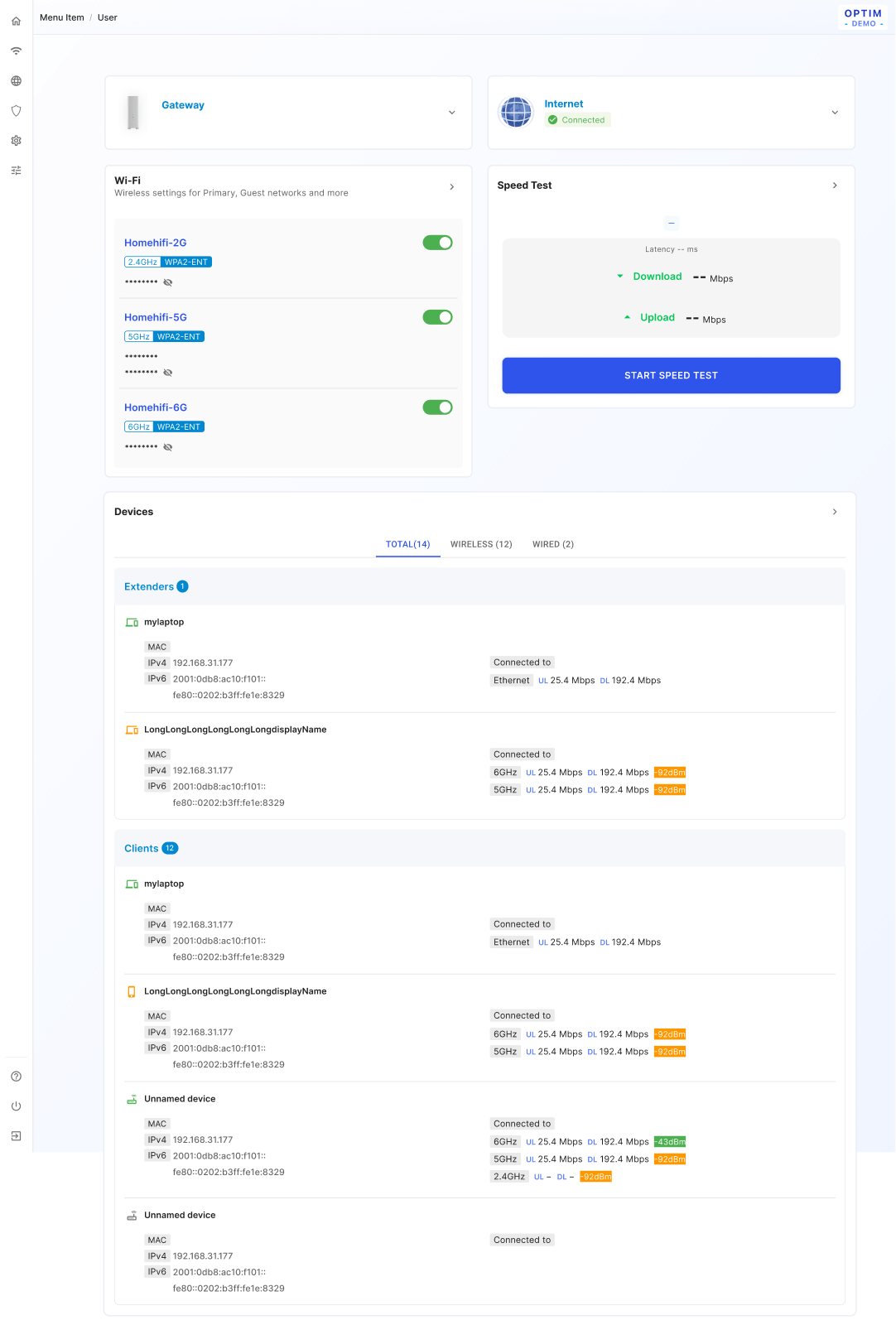
Home device list
Problem
Each client row packs signal, band and throughput into little space, and the list can't show clients that are offline ("currently unable to show terminals that are not online").
Solution
The device icon's colour follows RSSI and takes the better signal ("if there is any green mark, the icon shows green"); rates switch units ("1922.4 Mbps -> 1.9 Gbps"); a missing value prints "−" (e.g. "DL −"). A later update greys out a radio that is off (disabled state), and security modes are abbreviated (WPA2-ENT, WPA3-COM…).
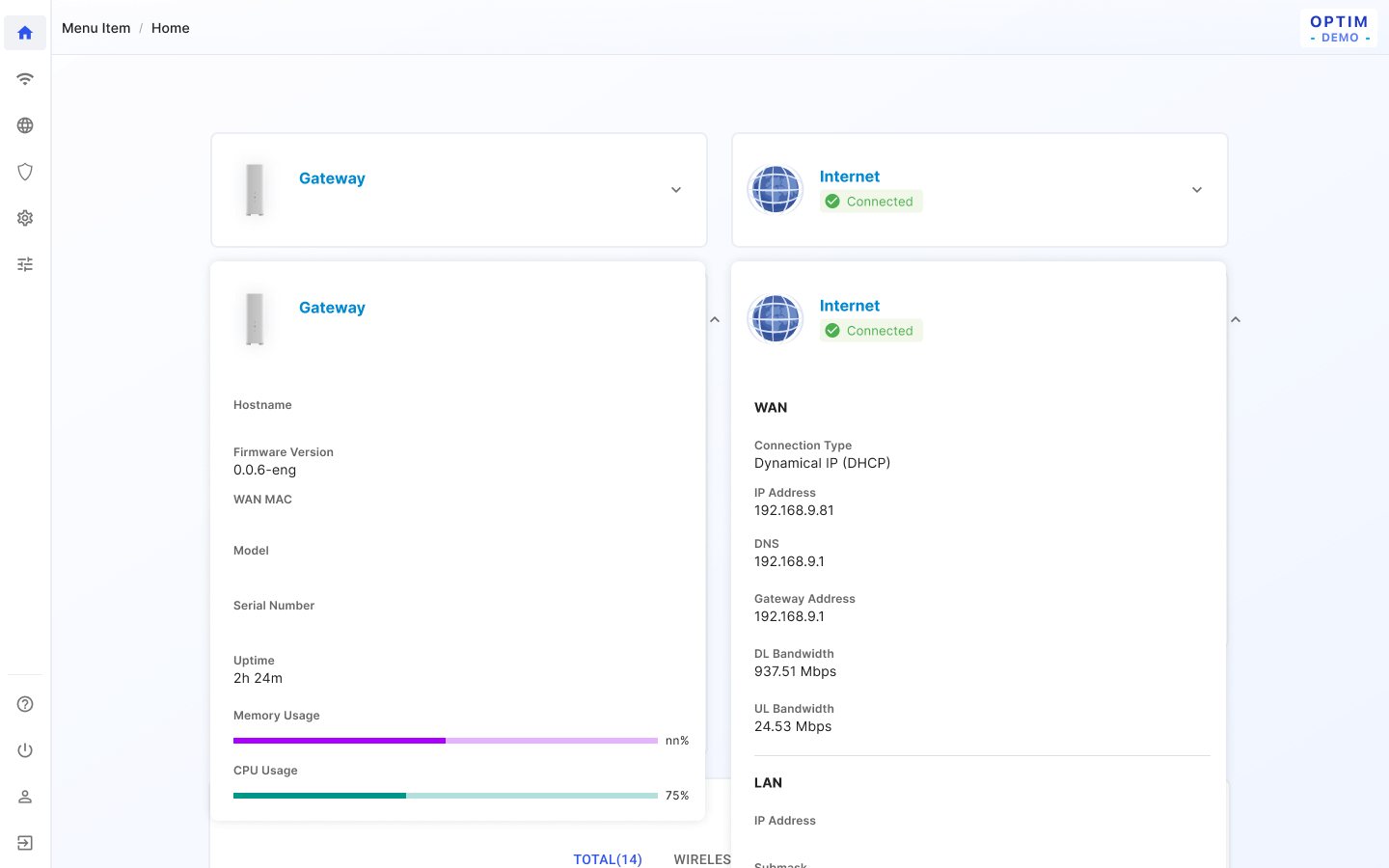
Home (first release)
Problem
In the first release, a card's details had to open without losing the rest of the overview.
Solution
The clicked card covers the grid and expands downward, and only that card opens ("expand the selected one only"); on small screens the detail covers the full screen.
Topology
Problem
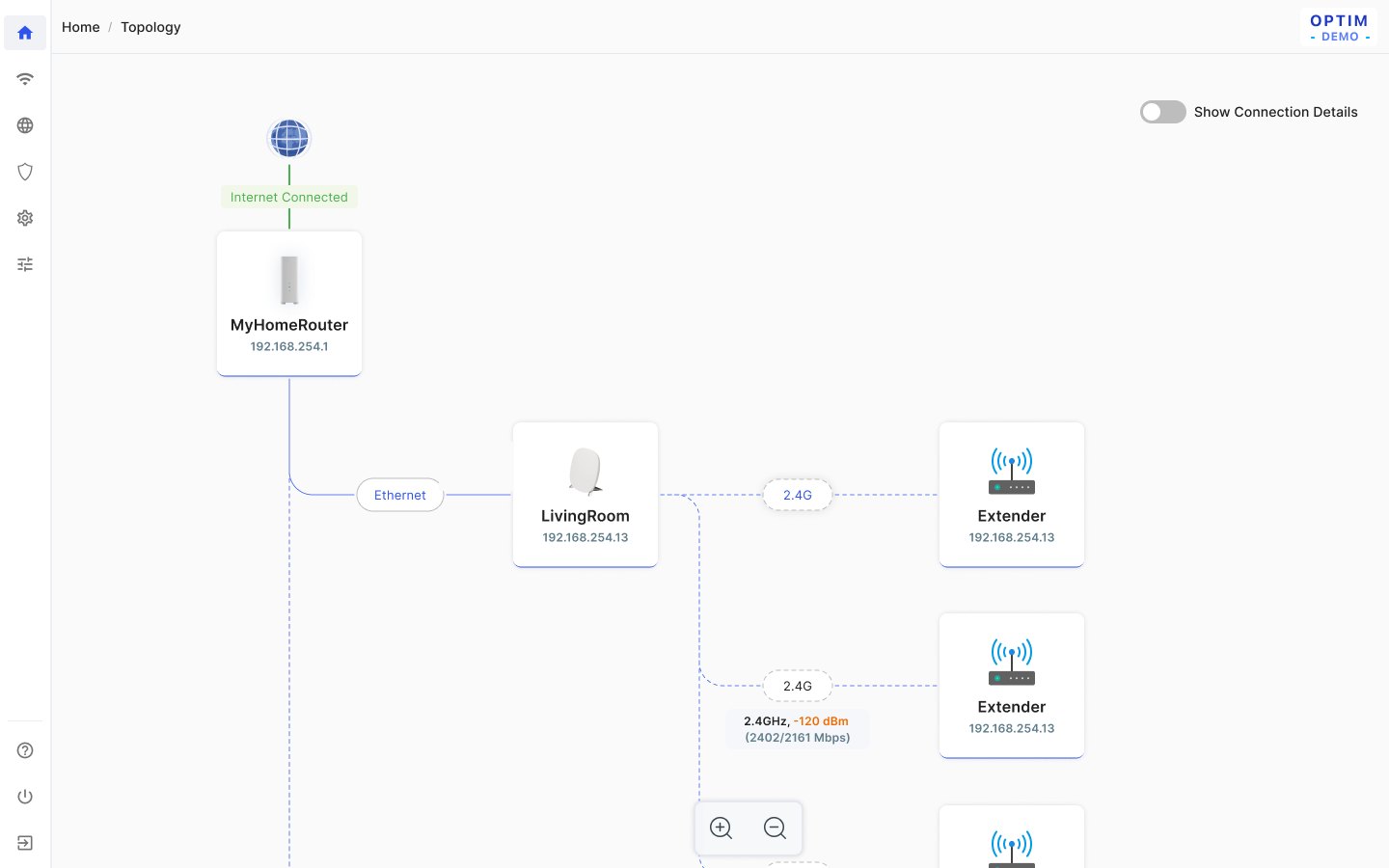
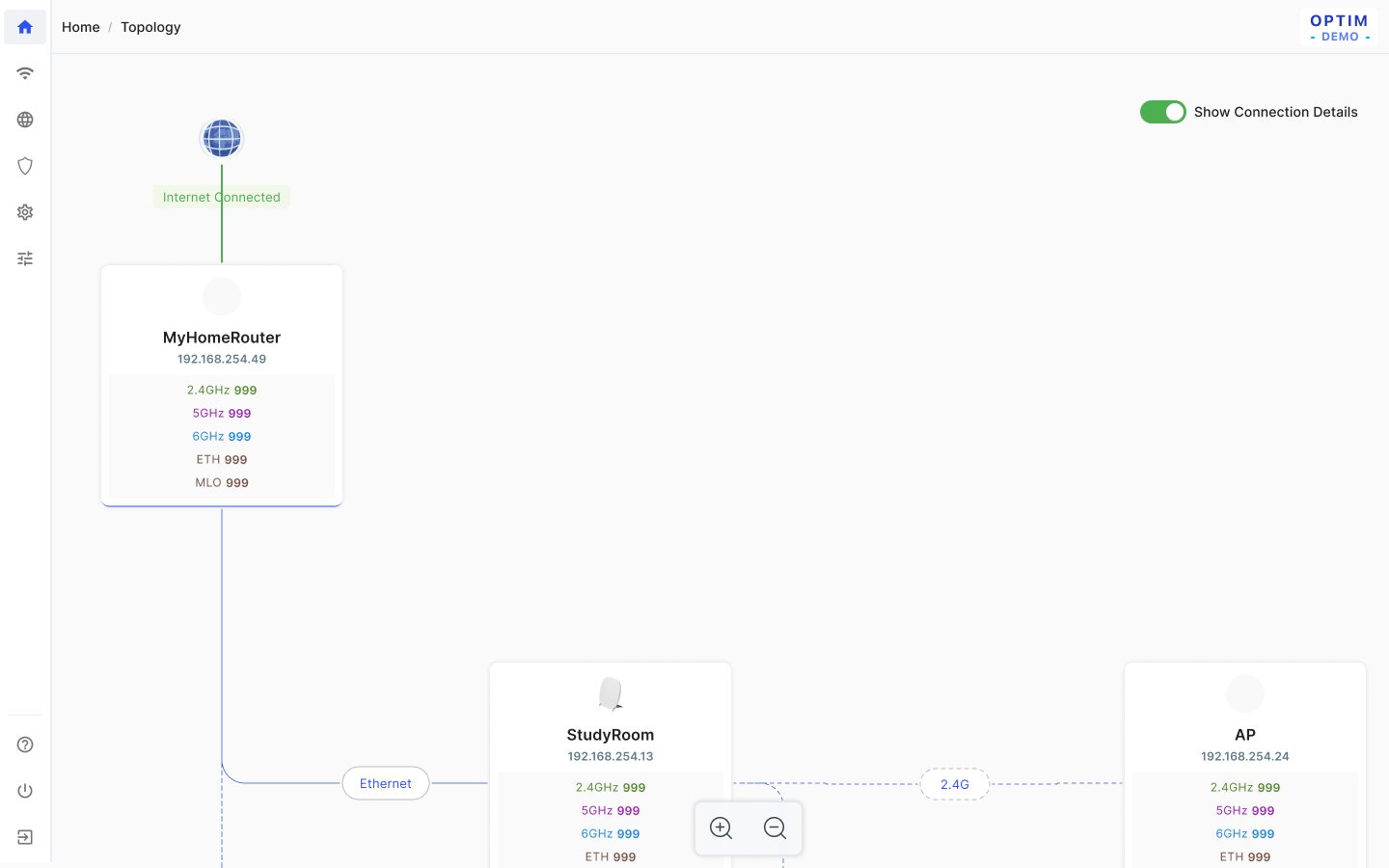
A mesh of routers and extenders can overflow the screen, long names can break the boxes, and the backend only reports devices that are online now ("off = disconnected = no IP received").
Solution
The tree grows by rule (RG → EXT diagonally down-right, EXT → EXT horizontally right). When it overflows, it starts at 0.5× and zooms in steps of 1, 0.75, 0.5 and 0.25; otherwise it is centred. "Show Connection Details" reveals the per-radio link info, and clicking empty space or Back closes the device-list drawer.
Wi-Fi
Wi-Fi SSID & radio
Problem
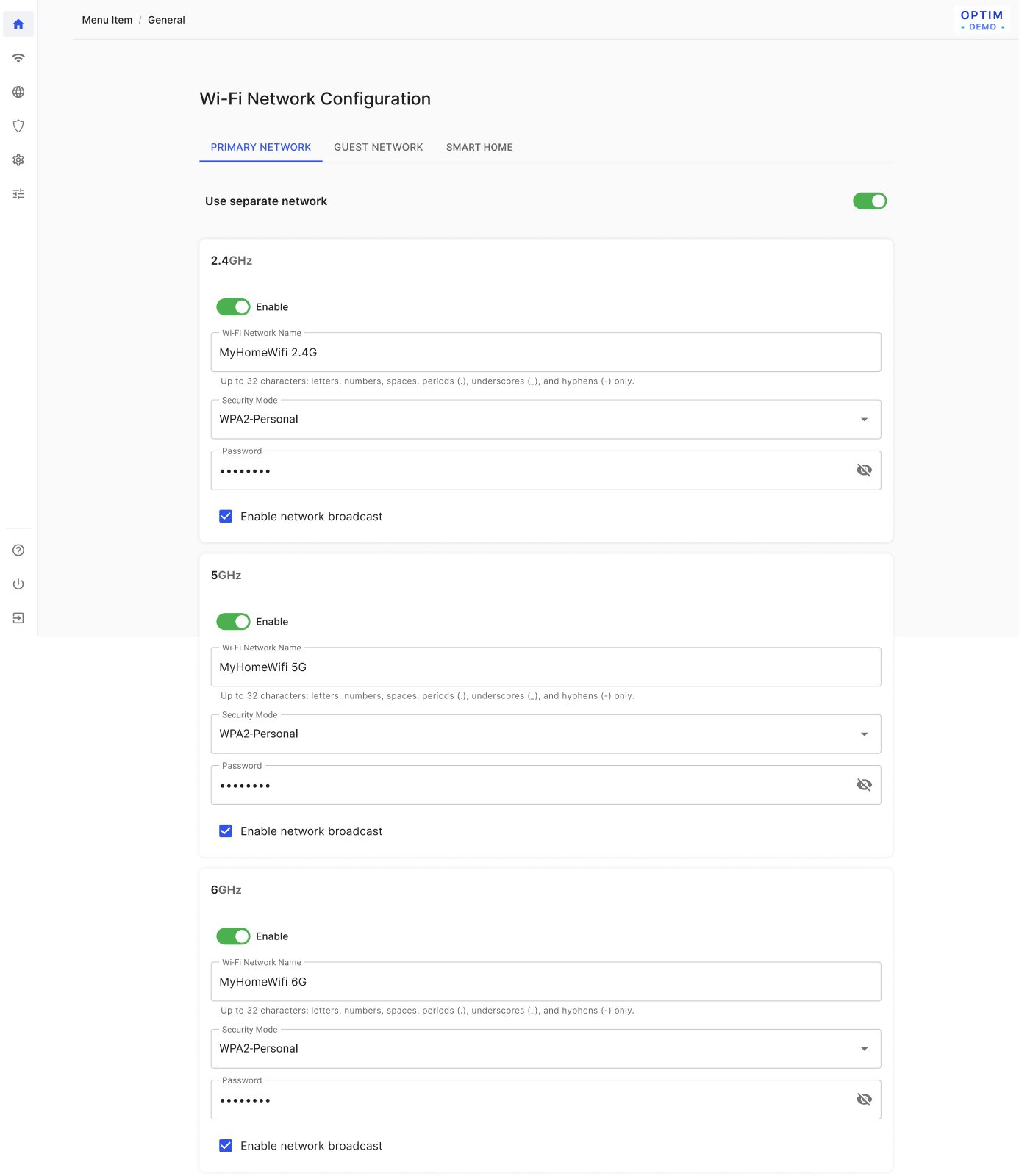
Splitting one merged SSID into per-band networks needs names that stay within 32 characters, and MLO only works in some security and naming setups.
Solution
On a split, each name gets a suffix (" 2.4G" / " 5G" / " 6G"), cut from the end of the user's name if the total would pass 32 characters and skipped if the name already ends in that band. The MLO checkbox appears only in shared mode ("Separate SSID" OFF) and is unchecked and disabled under WPA2-Personal. Per the Wi-Fi change log, the per-radio switch was removed and every card is expanded by default.
Network
Port forwarding
Problem
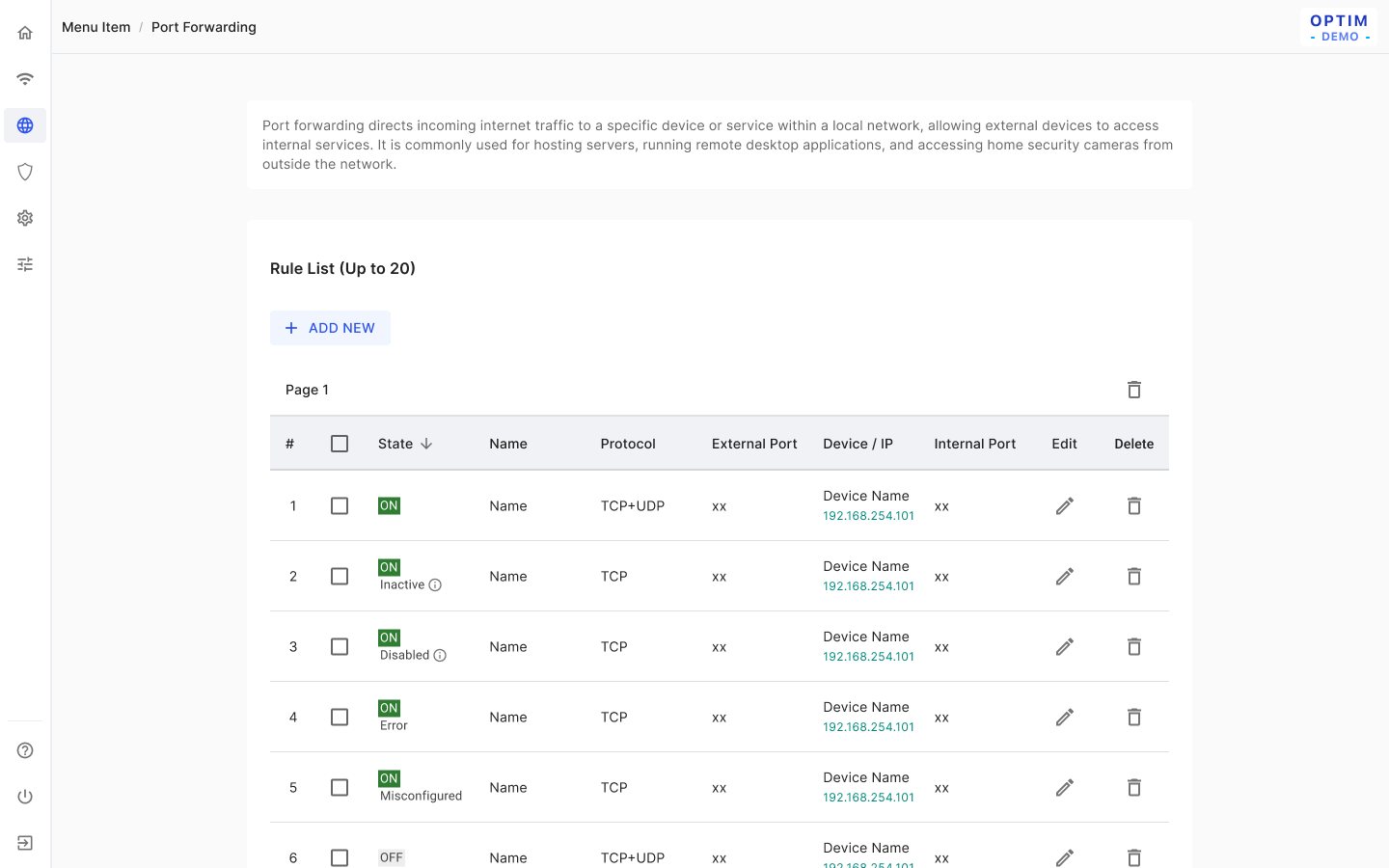
Rules can conflict or exceed the device limit, and port forwarding only works for some devices ("only supports devices on the primary SSID").
Solution
The list caps at 20 rules ("Please delete a rule before adding a new one"), and the device field uses an autocomplete that still accepts manual input. Port mappings must be "both as single values or both as ranges" of equal length, and the table saves each rule directly ("no need for Save & apply").
Diagnostics
Problem
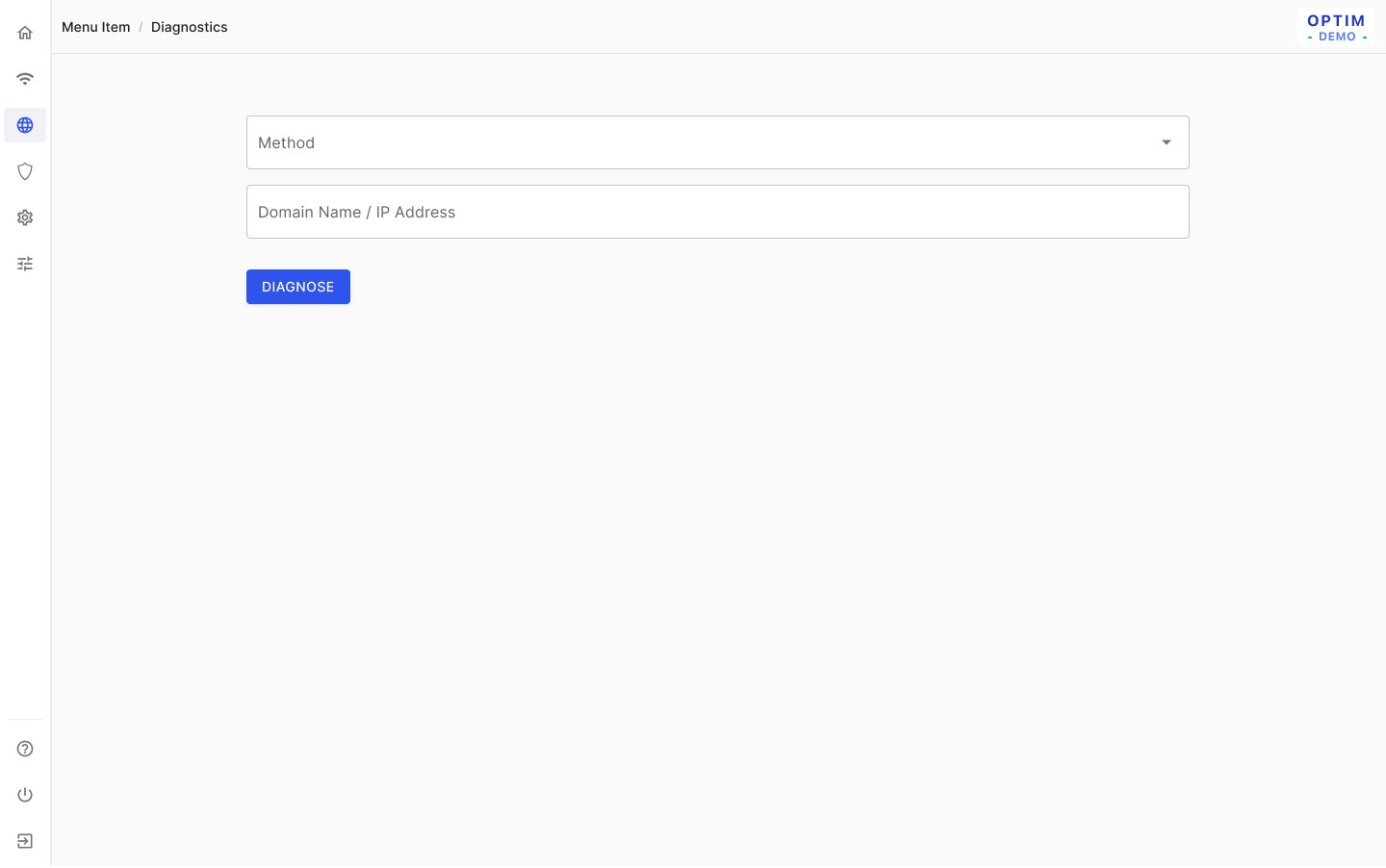
Users need to compare their input with the result after a diagnosis, and each method accepts different targets.
Solution
The form is not reset when a diagnosis finishes ("do not immediately reset the form"). Validation depends on the method ("Test target must be either an IPv6 address or a domain name"), and leaving with edits prompts "You have unsaved changes."
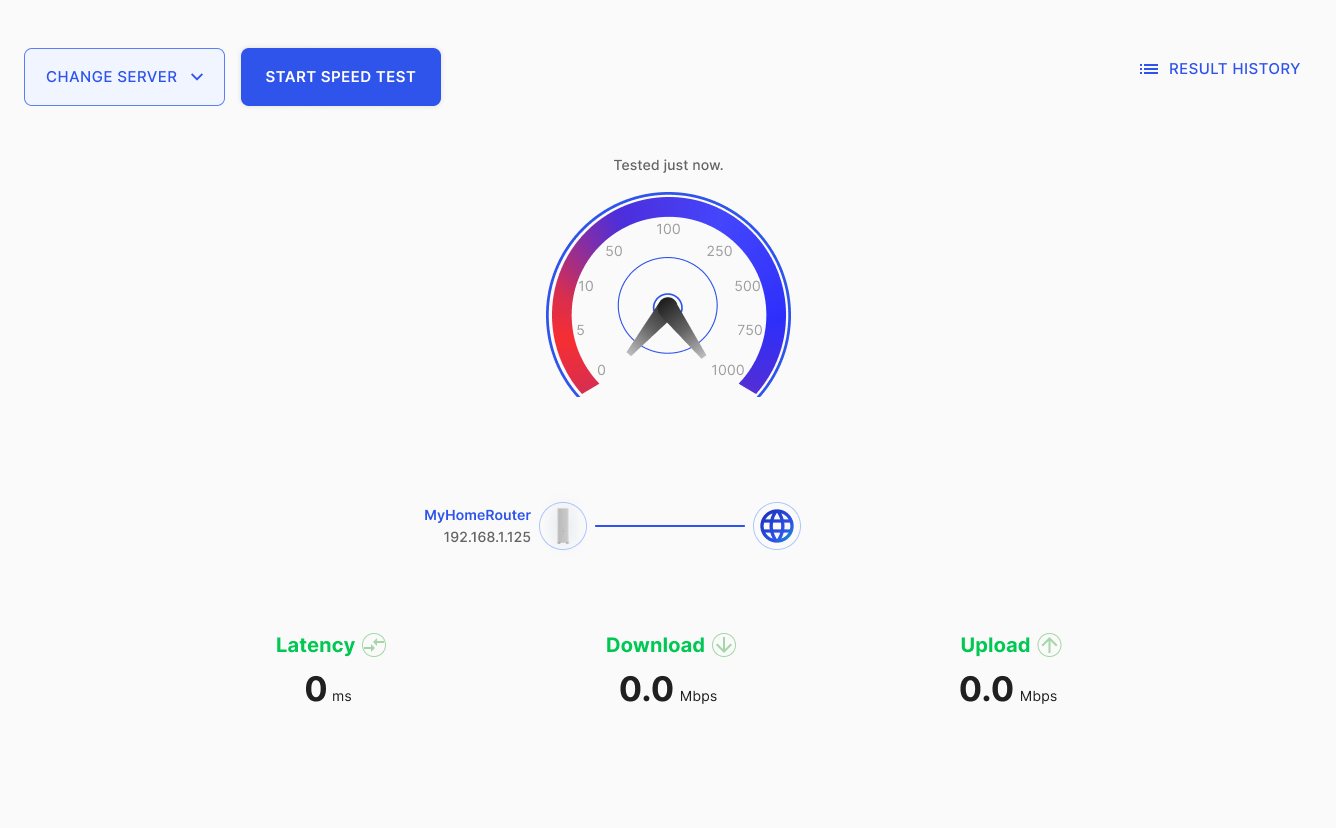
Speed test
Problem
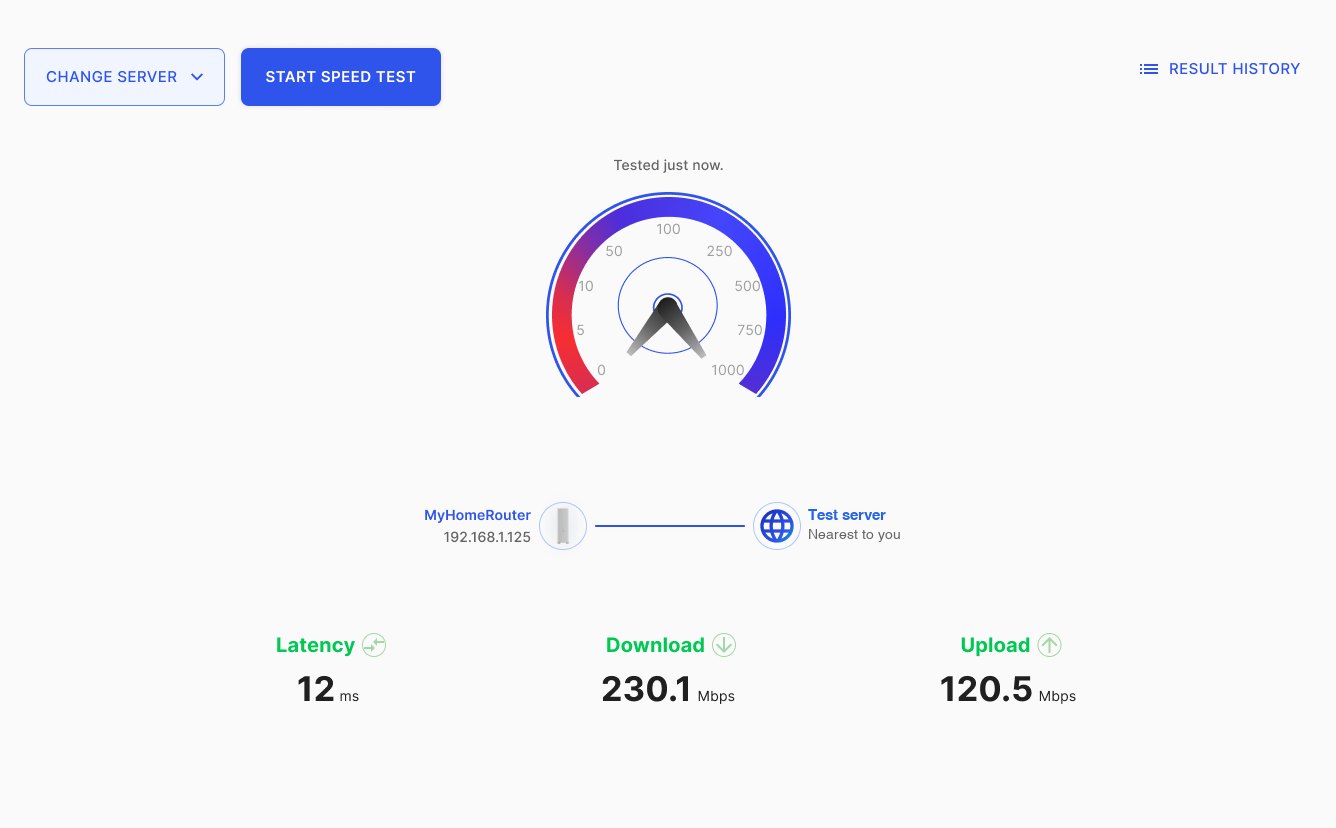
The test runs in several phases and can fail at any of them, and the gauge's gradient colours were hard to build ("Issue: Technical. Gradient colors on the wheel.").
Solution
The sequence is fixed: last result → ping → latency → download → upload → "Tested just now" ("Download first, then Upload"). Timestamps age from "Tested 12 minutes ago" to "Tested on 05/24/2024". Failures are logged but never become the next landing state, controls are "locked during speed testing!", and the gauge uses solid colour segments instead of a gradient.
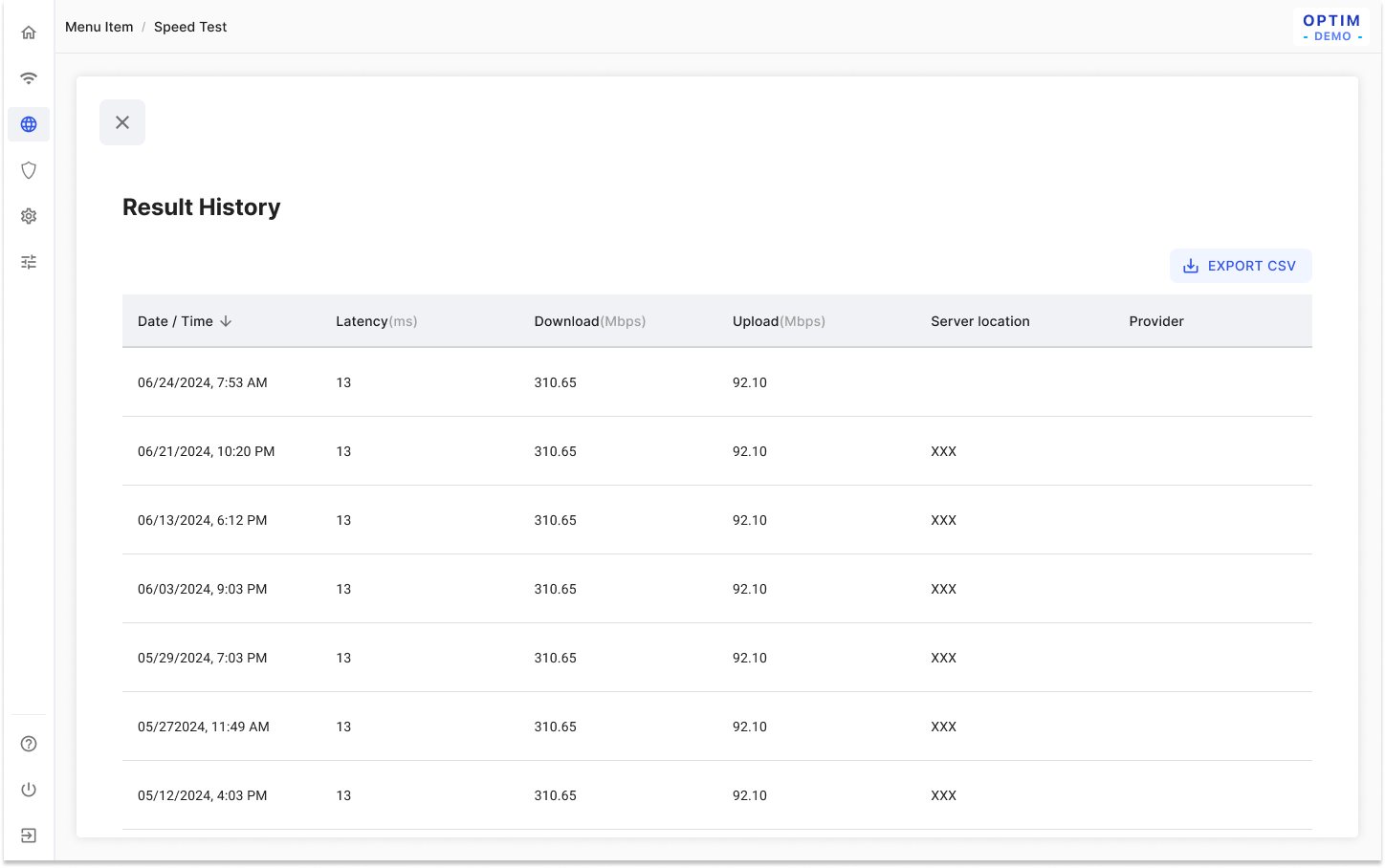
Speed test enhancement (result history)
Problem
Tickets raised that the server choice wasn't visible and that the Change server button and gauge needed rework.
Solution
A server is selected when the page opens and shown on screen. The Change server menu is fixed at 320px, opens to the right of the button and applies the pick immediately. It is hidden (desktop) or disabled (mobile) during a test, and Result History opens as a modal.
Security
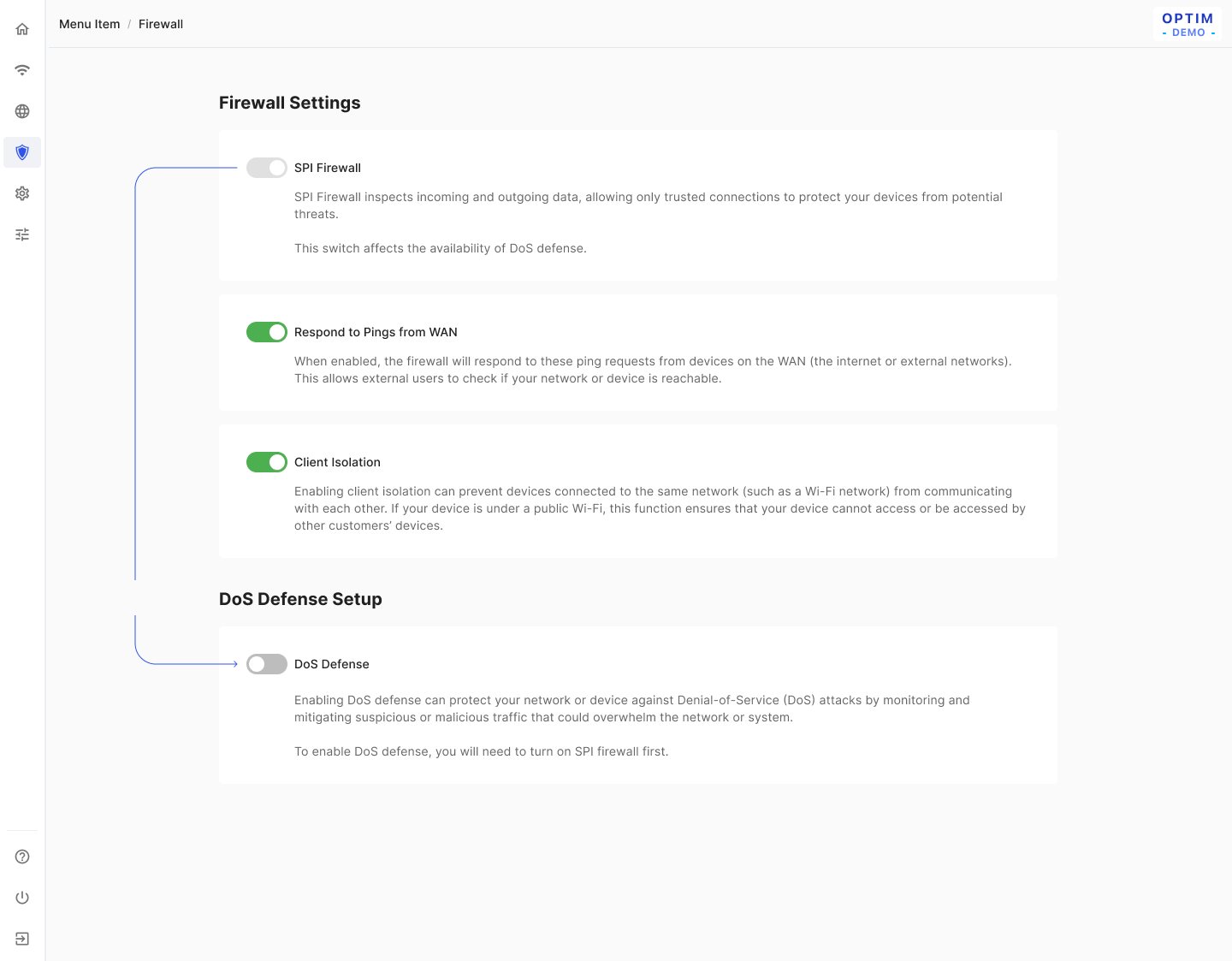
Firewall
Problem
DoS protections depend on the SPI firewall, and some blocks change other behaviour.
Solution
The SPI firewall is always on, and a callout states it must be on to enable DoS Defense (“DoS Defense is enabled only when the SPI firewall is on”). Each defense has a plain-language explanation, e.g. "When Blocking Trace Route is enabled, Pings from WAN will be turned off."
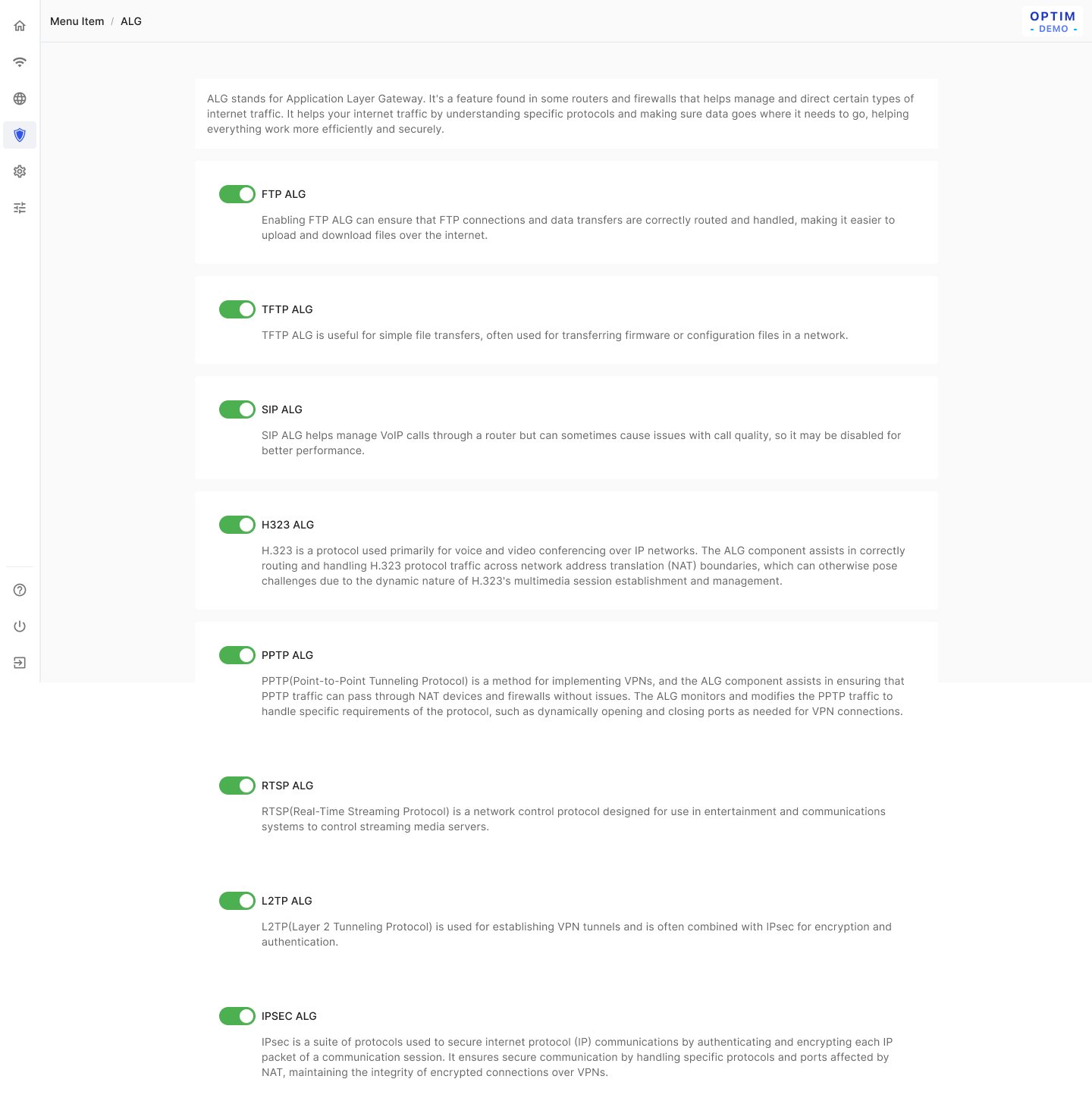
ALG
Problem
Protocol helpers are switched individually, and users need immediate feedback.
Solution
Defaults are the factory settings and later edits are remembered; each switch takes effect at once with no Save/Cancel buttons, confirmed by a toast ("Enable FTP ALG successfully.").
System
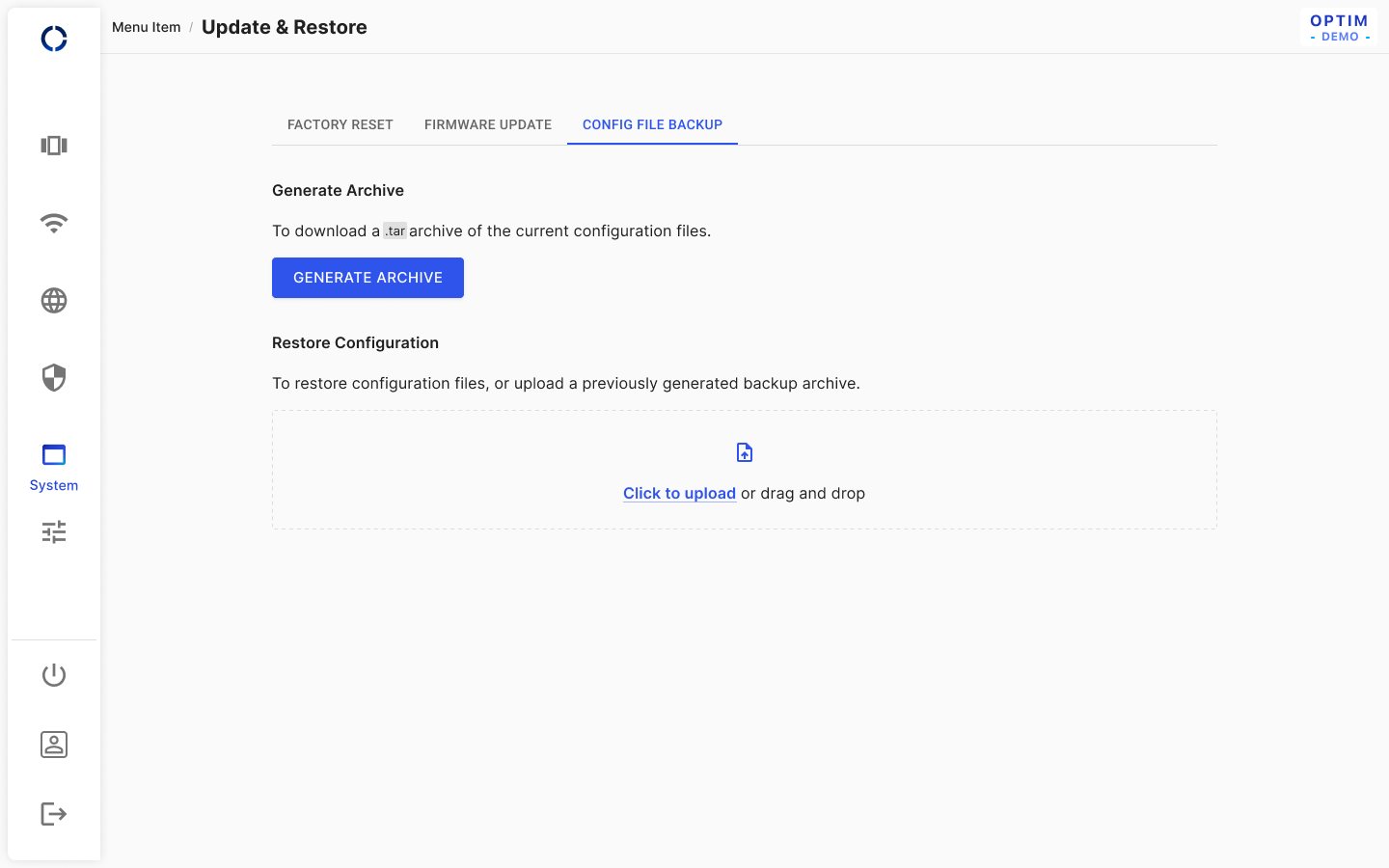
Update & restore
Problem
Firmware upgrade, restore and reset are destructive, and time sync breaks if the NTP server list is empty.
Solution
Upgrade, restore and reset each ask for confirmation first ("Are you sure to use this file as your new firmware?"), and success leads straight into the reboot flow. The NTP list can't reach zero: at one entry a helper text appears and delete is disabled. Leaving mid-operation asks first, and small screens drop "or drag and drop".
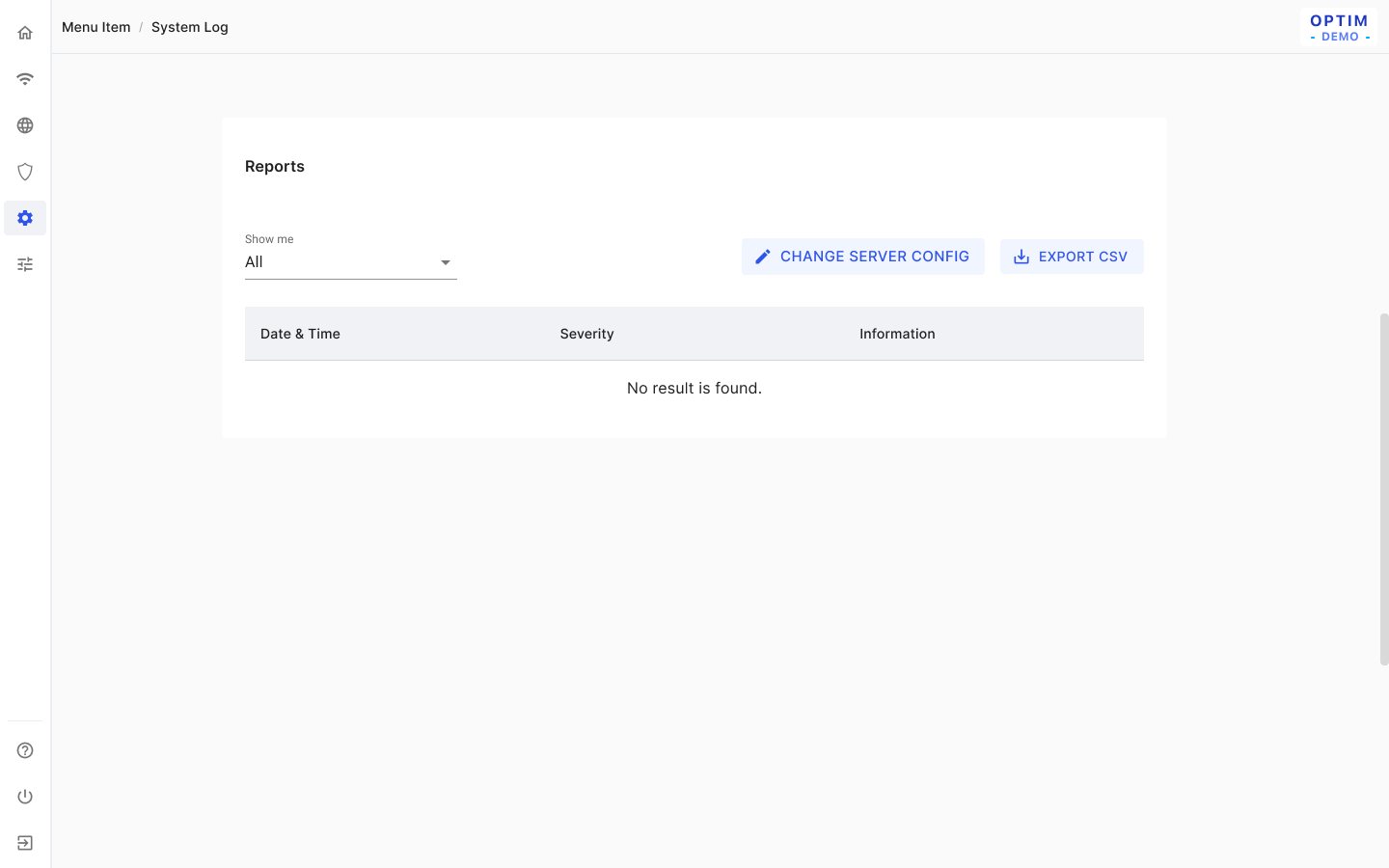
System log
Problem
Logs are cleared on every reboot, and users need to choose which severities are recorded.
Solution
The empty state is the default ("Reboot clears the log, so the default page is empty"). Logs preload in full with infinite scroll, and export downloads the current view with its filter and sort. A severity slider starts fixed at EMERG and defaults to Emergency–Warning.
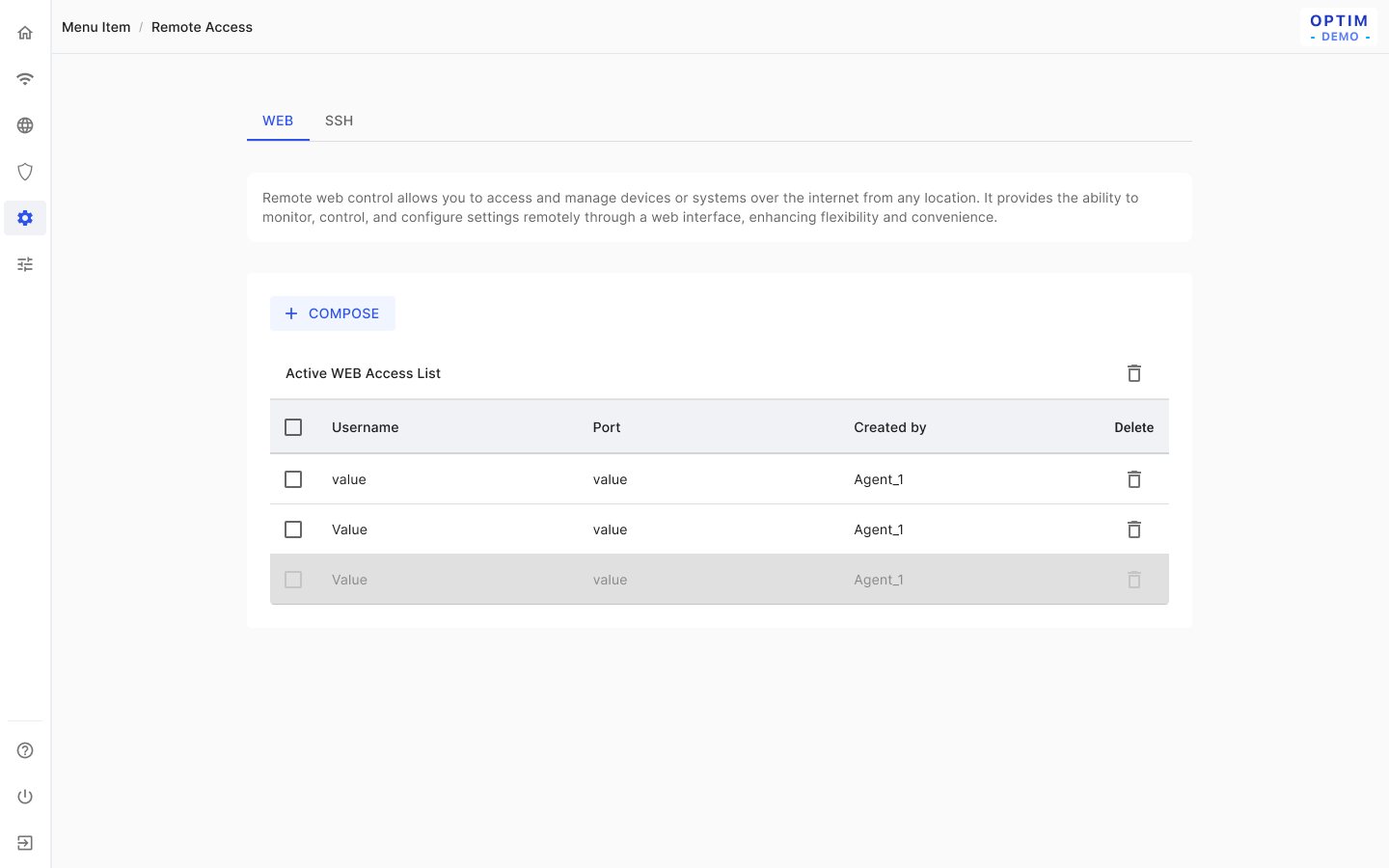
Remote access (hidden)
Problem
Support staff need temporary remote web or SSH access without leaving credentials behind.
Solution
The system generates the username and password, which can be edited and copied ("The password will not be saved after submission"). Each access counts down to expiry (15 minutes); new rows go on top and expired rows sink to the bottom. The backend assigns the port and creator, and there is no master switch.
Advanced settings
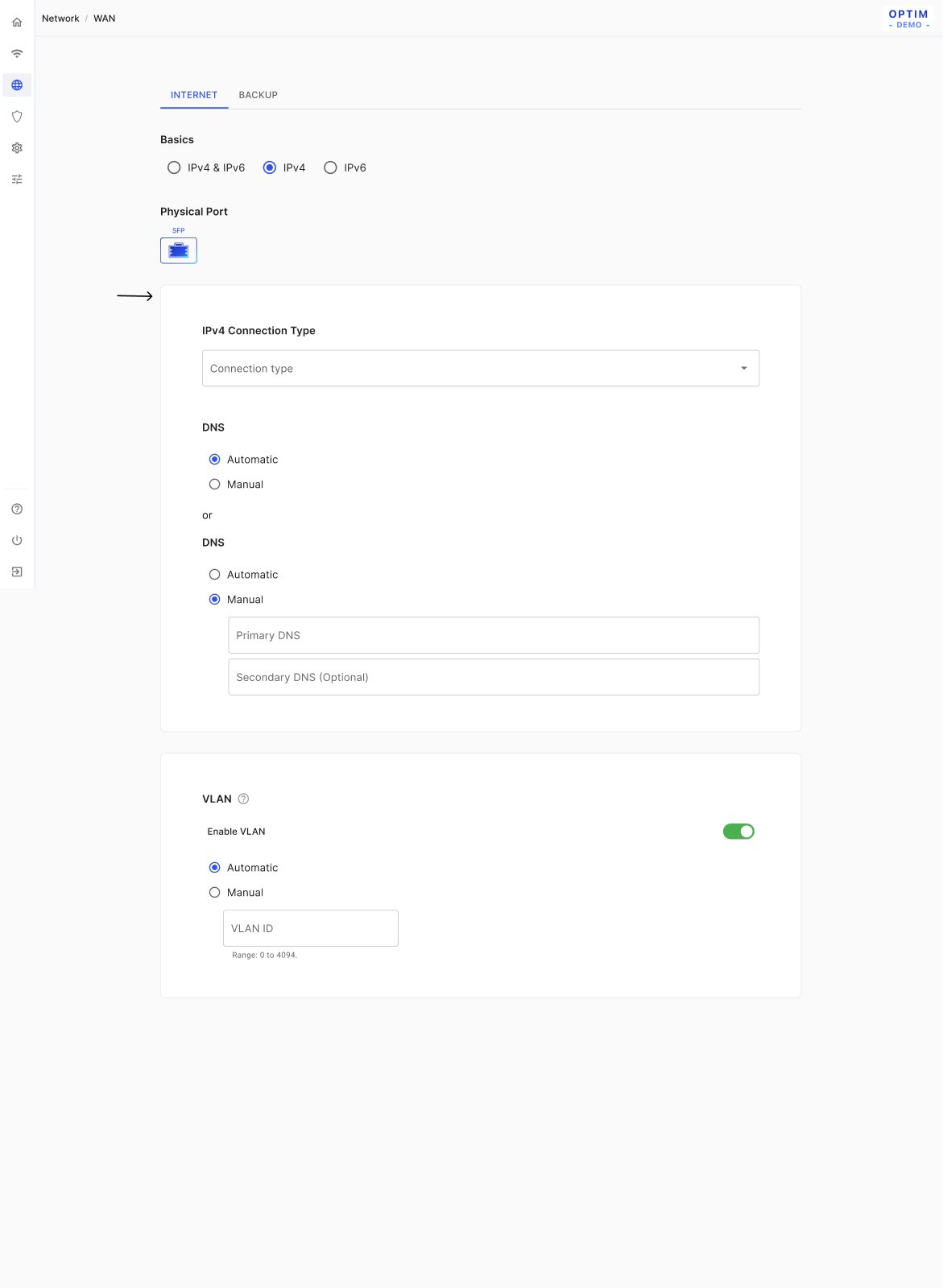
WAN (R2)
Problem
Connection types limit one another across IPv4 and IPv6, and switching types could wipe what users typed.
Solution
Switching from Static to DHCP keeps existing values (e.g. DNS), and PPPoE pre-fills MTU 1500. IPv6 Static is disabled when IPv4 uses PPPoE, and Auto Detect exists only for DHCP. Saving warns that "your connected devices will briefly lose connection for a few seconds."
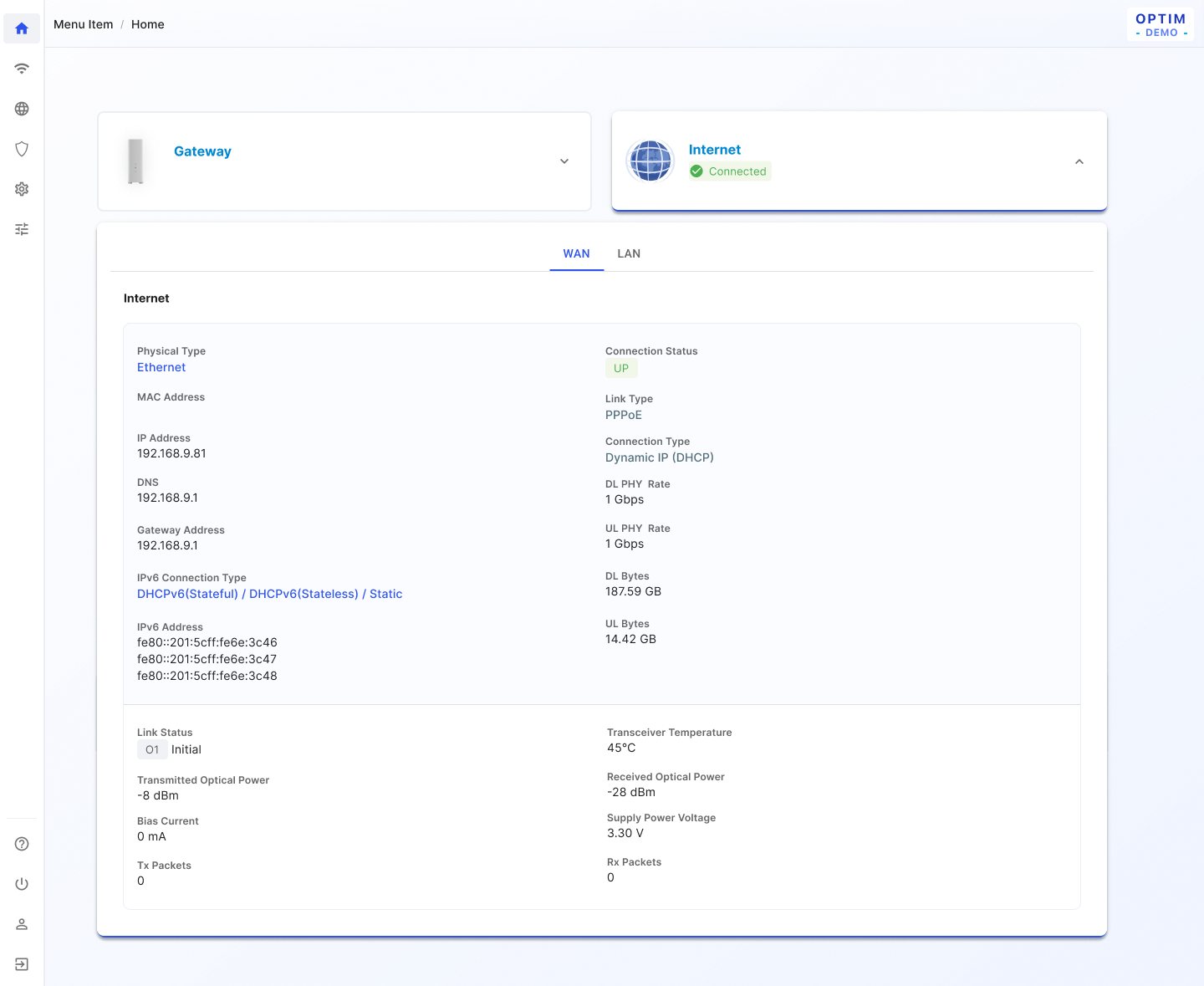
WAN (R3)
Problem
R2's WAN model mixed link type and address method, with options R3 doesn't carry.
Solution
R3 drops VLAN and the custom delegated IPv6 prefix, moves PPPoE out of IPv4 into the link type at the top, removes IPv6 Static, and adds link type to the overview. When the state is unknown, the overview prompts "Not configured. Set up now".
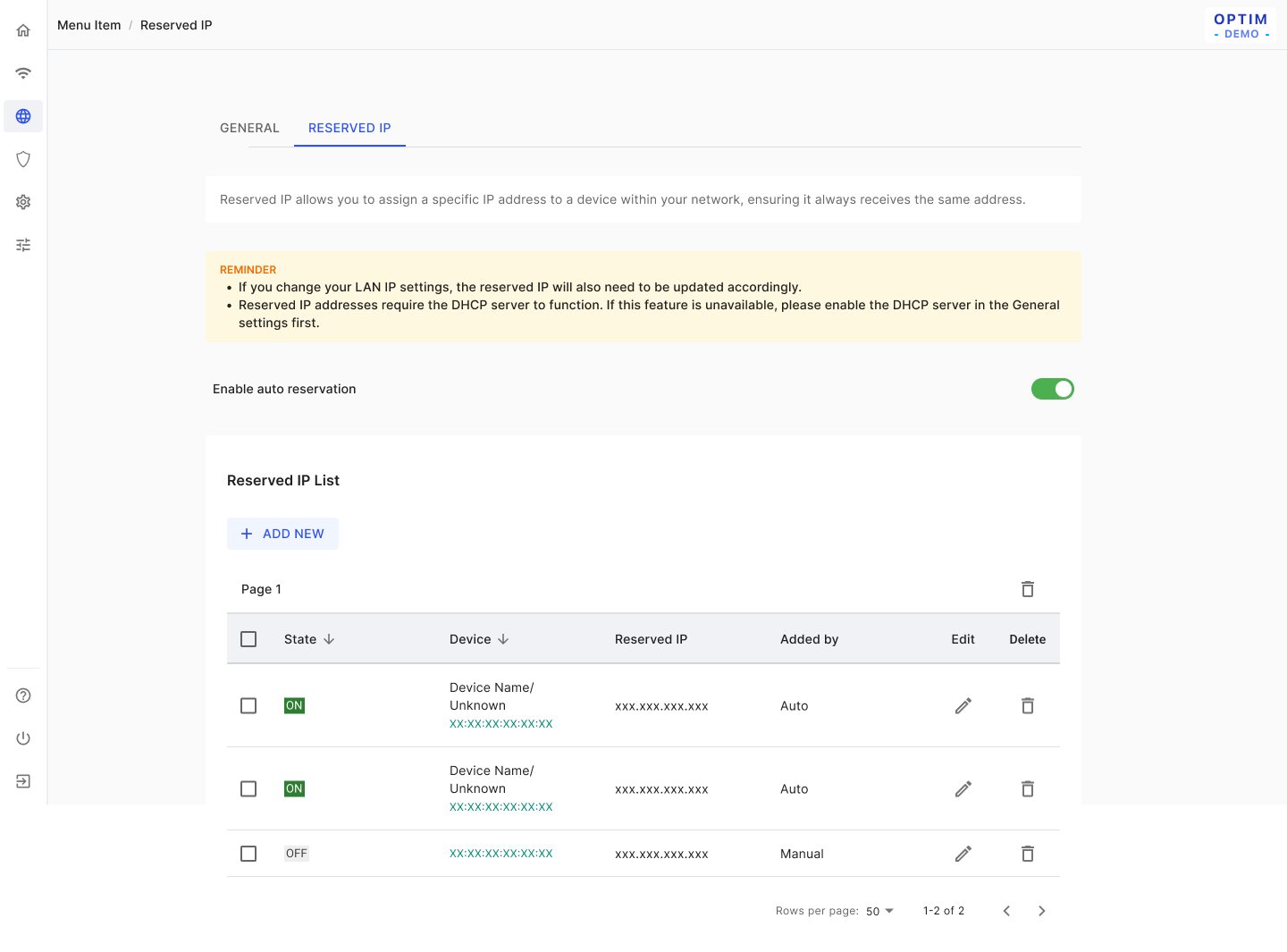
LAN & DHCP reservation
Problem
Changing the LAN IP or mask can leave the DHCP pool and reservations out of range.
Solution
When the IP or mask changes, the pool is kept if still valid and cleared otherwise. The mask offers only 255.255.255.0 and 255.255.0.0, and saving blocks a pool that contains the LAN IP. Auto-reservation adds up to 50 devices, the Guest tab works only once Guest SSID is on, and the ULA section is hidden when WAN is IPv4.
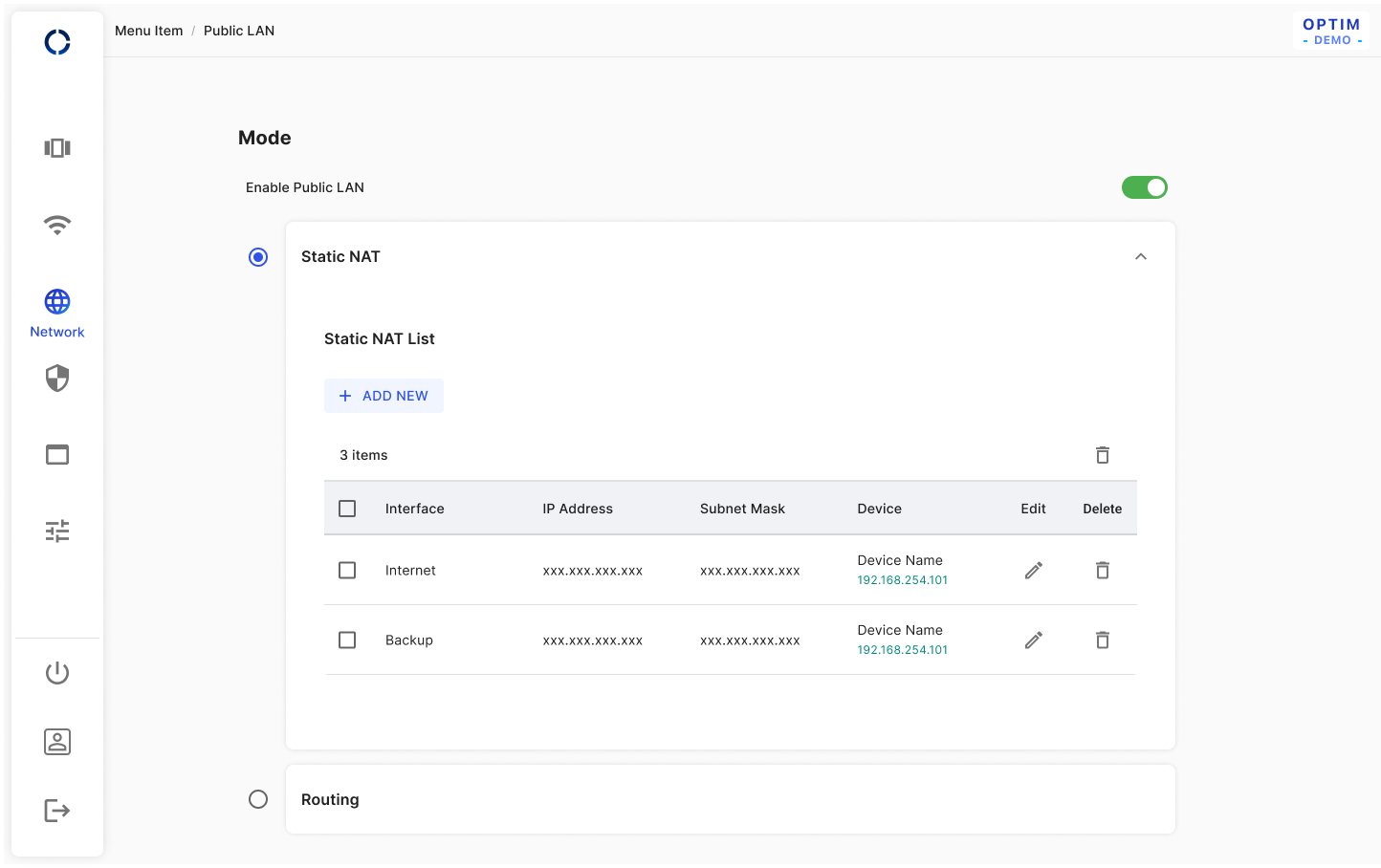
Public LAN
Problem
Switching to Routing mode needs a completed form, and users may leave that form half-filled.
Solution
Switching from Static NAT to Routing always opens the form, an exception that shows the CTA even when nothing changed. Leaving it empty asks first: OK returns to the form, Cancel dismisses both and selects Static NAT again. Choosing a mode's radio expands its card and collapses the other.
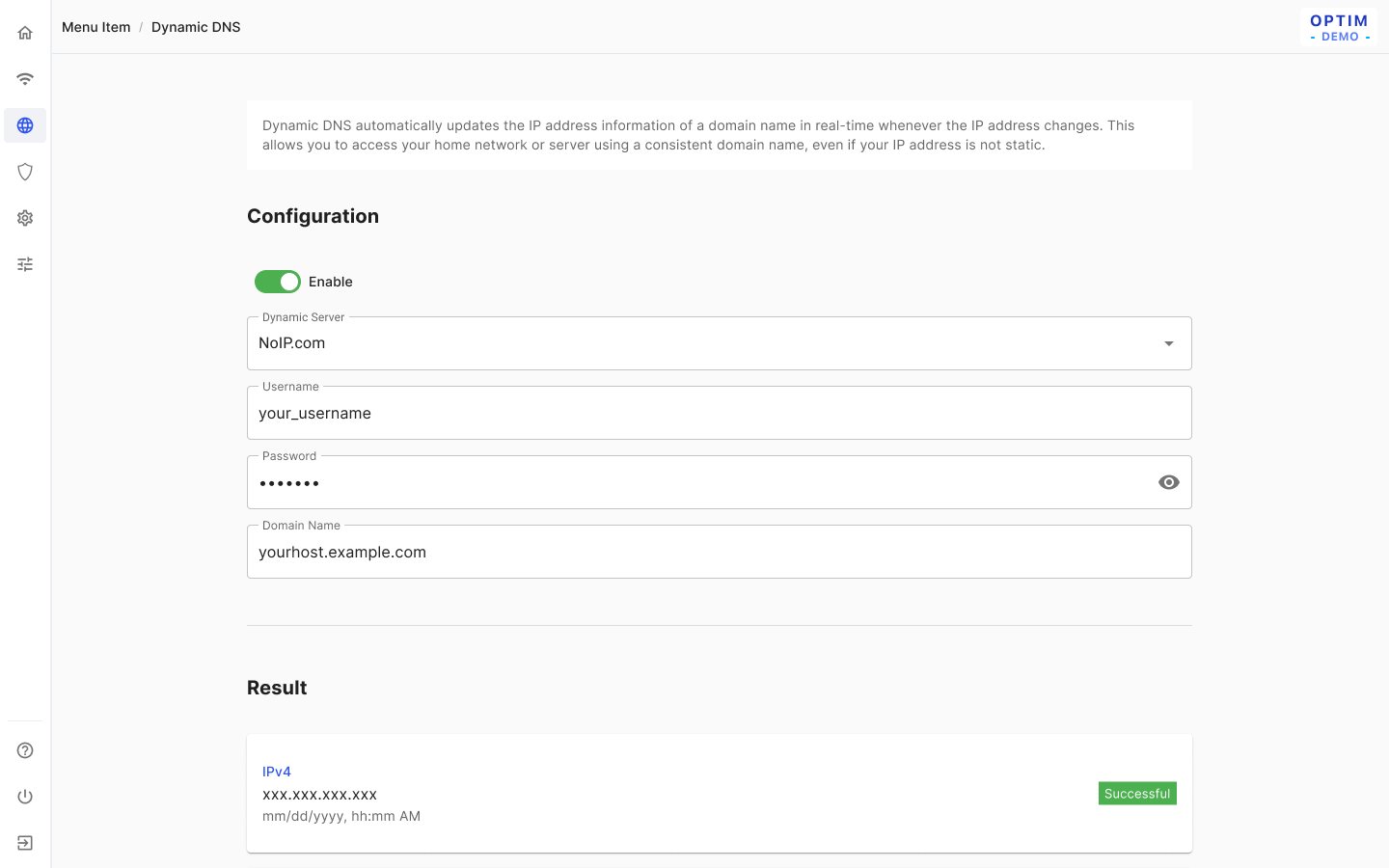
Dynamic DNS
Problem
The design assumes a single WAN.
Solution
One DDNS configuration shows its IPv4/IPv6 result and time; the notes flag that "if [Backup WAN is] considered in the future, multiple DDNS configurations will be necessary."
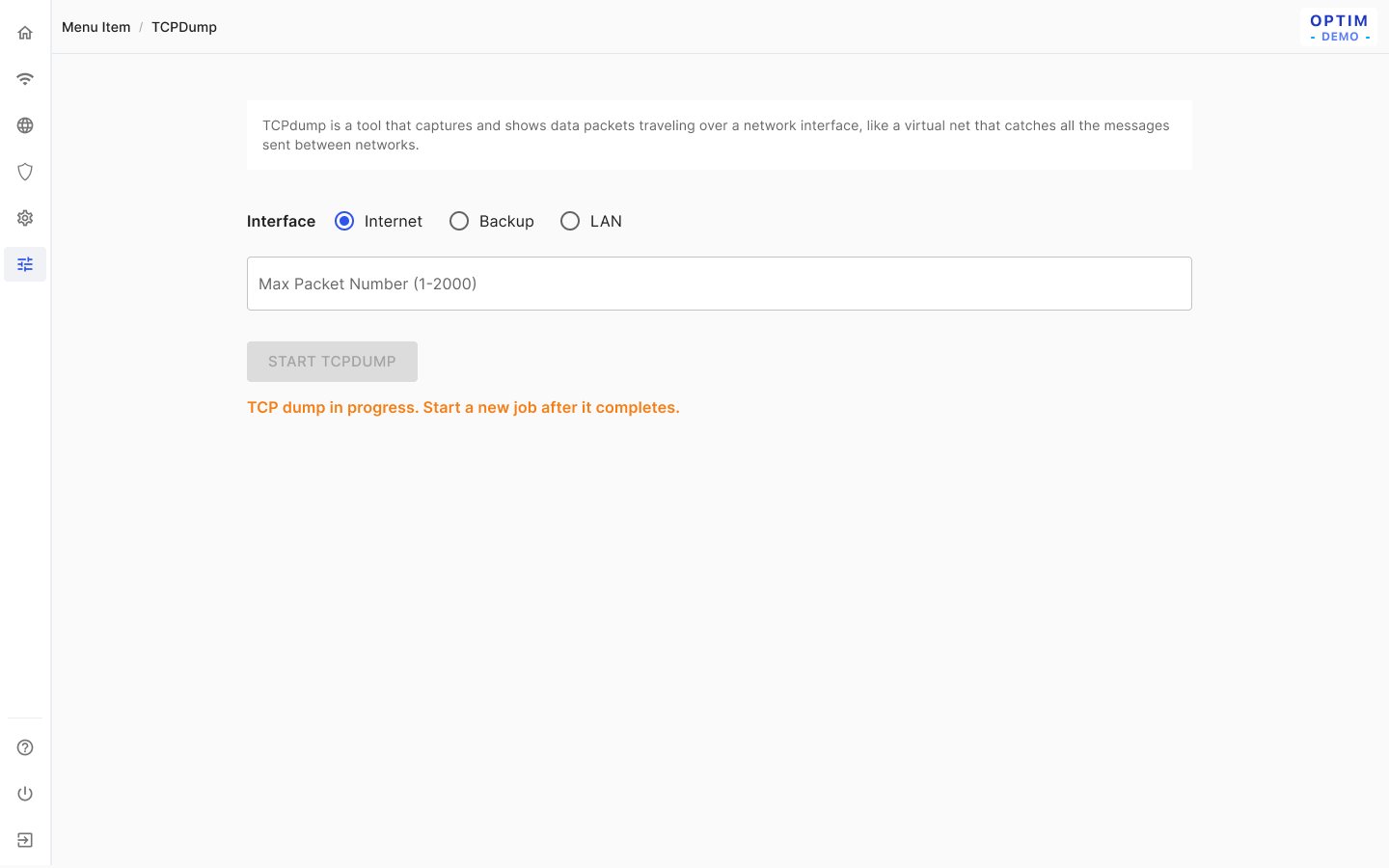
TCPDump
Problem
A capture takes time to prepare, only one job can run, and the result is lost if the user leaves.
Solution
A .pcap file is produced only after the job completes or is stopped. While a job runs, Start is disabled (on a fresh visit it is enabled and disables after the click), and the status polls every 15 seconds. Changing the interface resets the packet count, and results aren't kept after leaving the page.
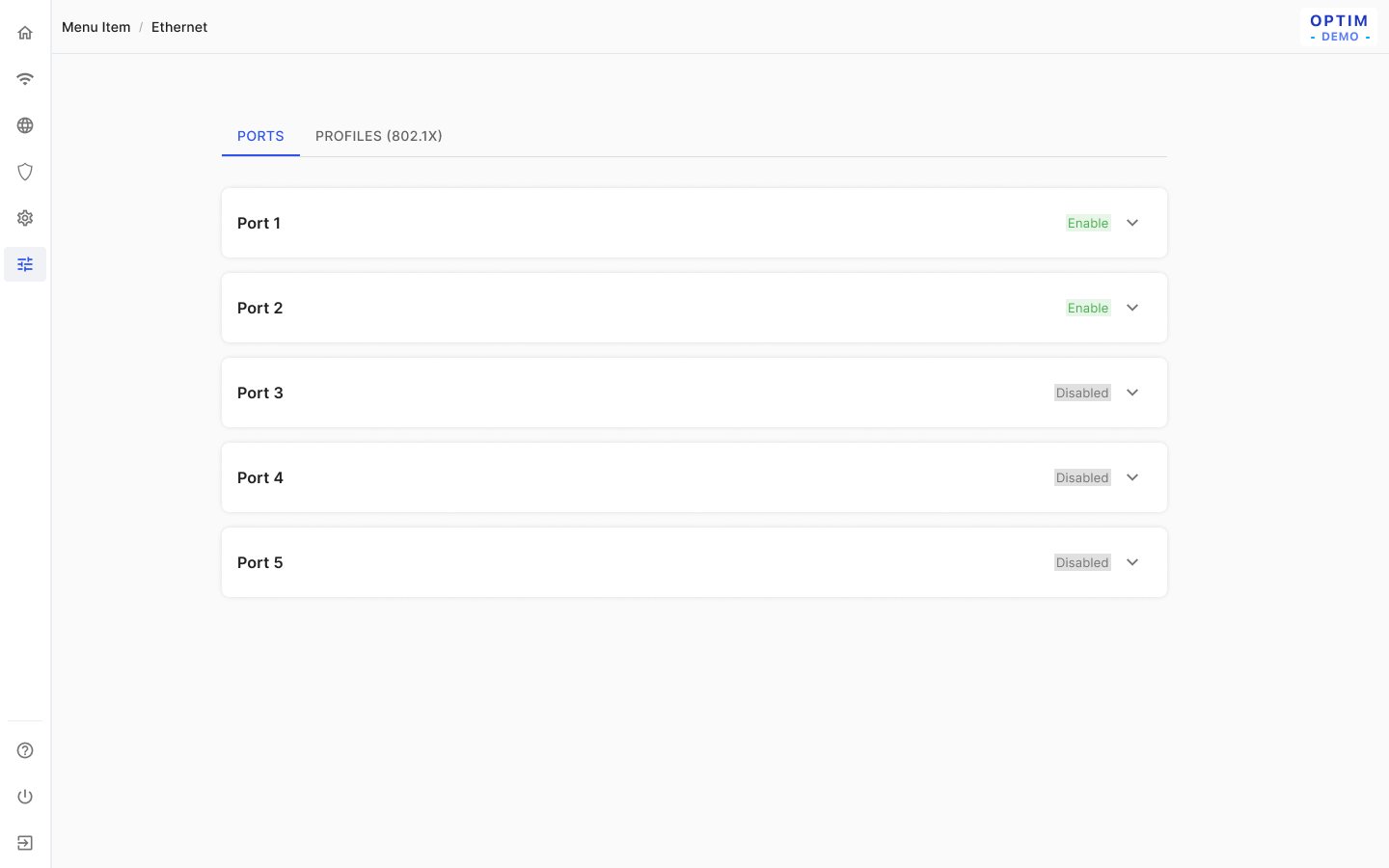
Ethernet 802.1x
Problem
Ports need authentication profiles, but the backend supports only part of the model.
Solution
Profiles are added one at a time with PEAP (username, password); TLS is "not supported for now", and a profile in use can't be deleted. Each port picks a profile, and Duplex Mode "will be disabled for the first release, as the backend version does not support it yet."
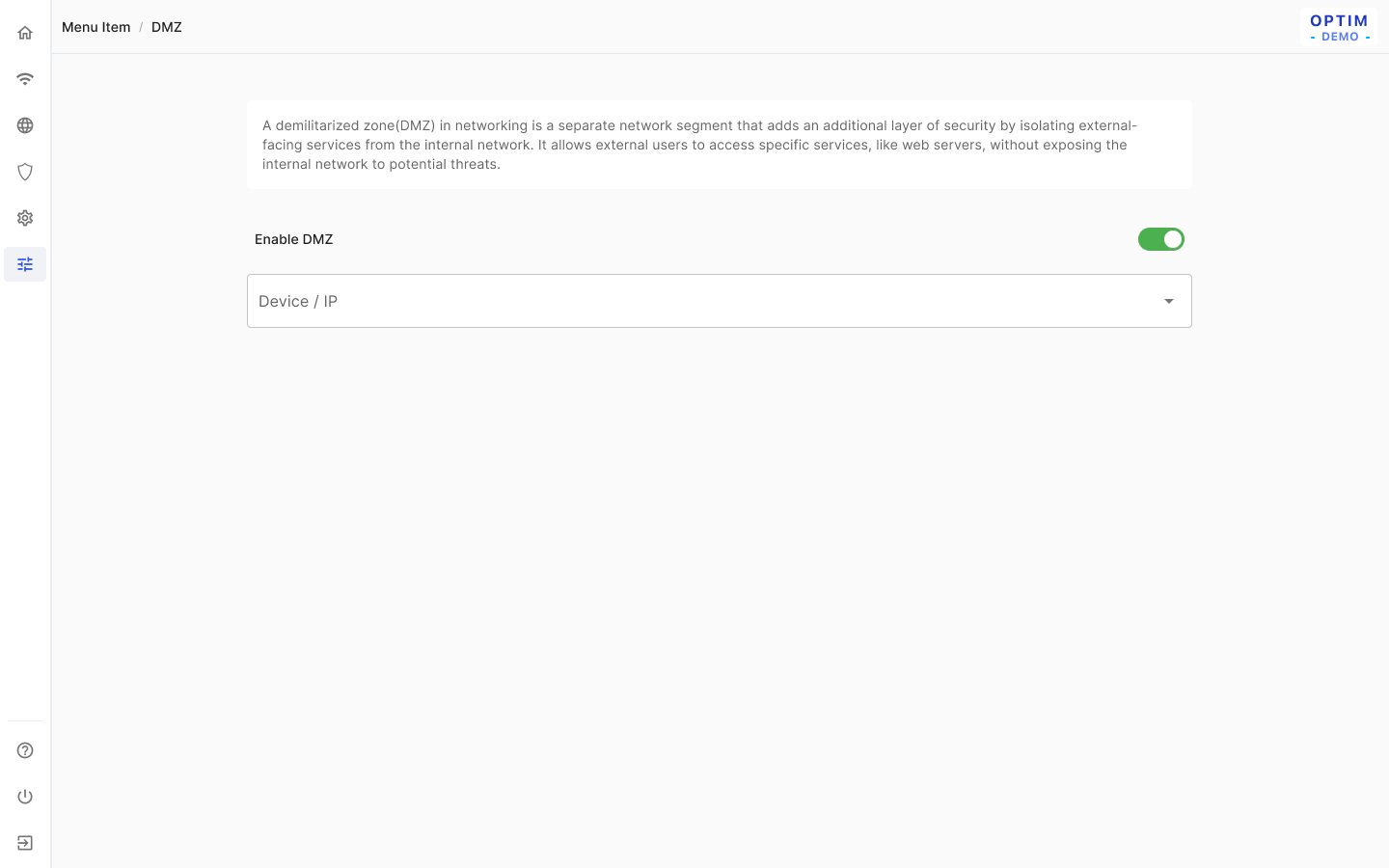
DMZ
Problem
Picking the DMZ host from a device list gets confusing when guest clients and several LAN IP sets exist.
Solution
The device/IP field is enabled only when DMZ is on, and the menu is sorted 0→9, A→Z. Guest clients are left out of it, offline hosts show as "Unknown (xxx.xxx.xxx.xxx)", and the address must be "within the primary LAN range."
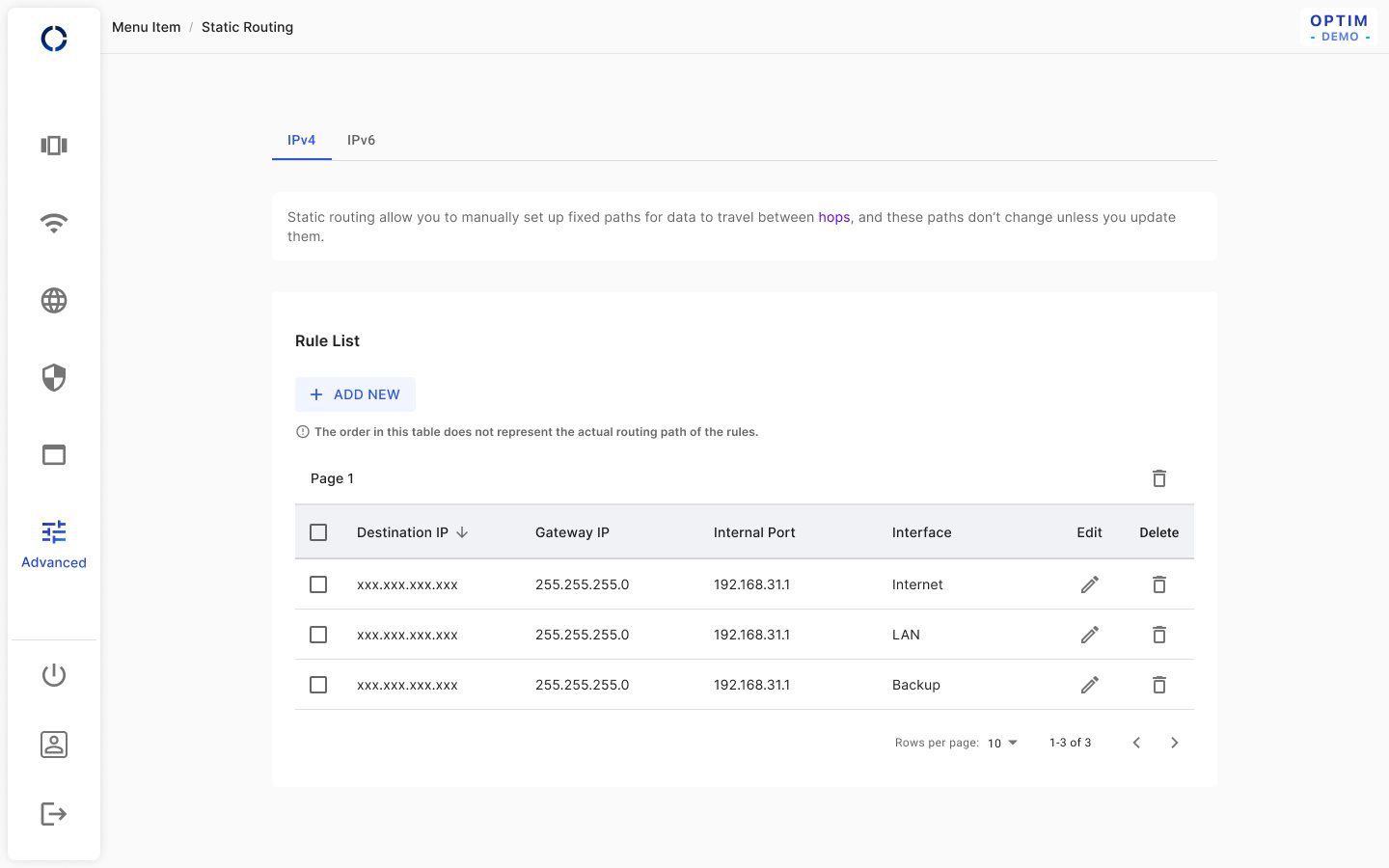
Static routing
Problem
Users might read the table order as the order routes are applied.
Solution
A note under the list states "The order in this table does not represent the actual routing path of the rules." Rules are added one at a time, newest on top, Internet is preselected as the interface, and the table saves without a Save & apply.
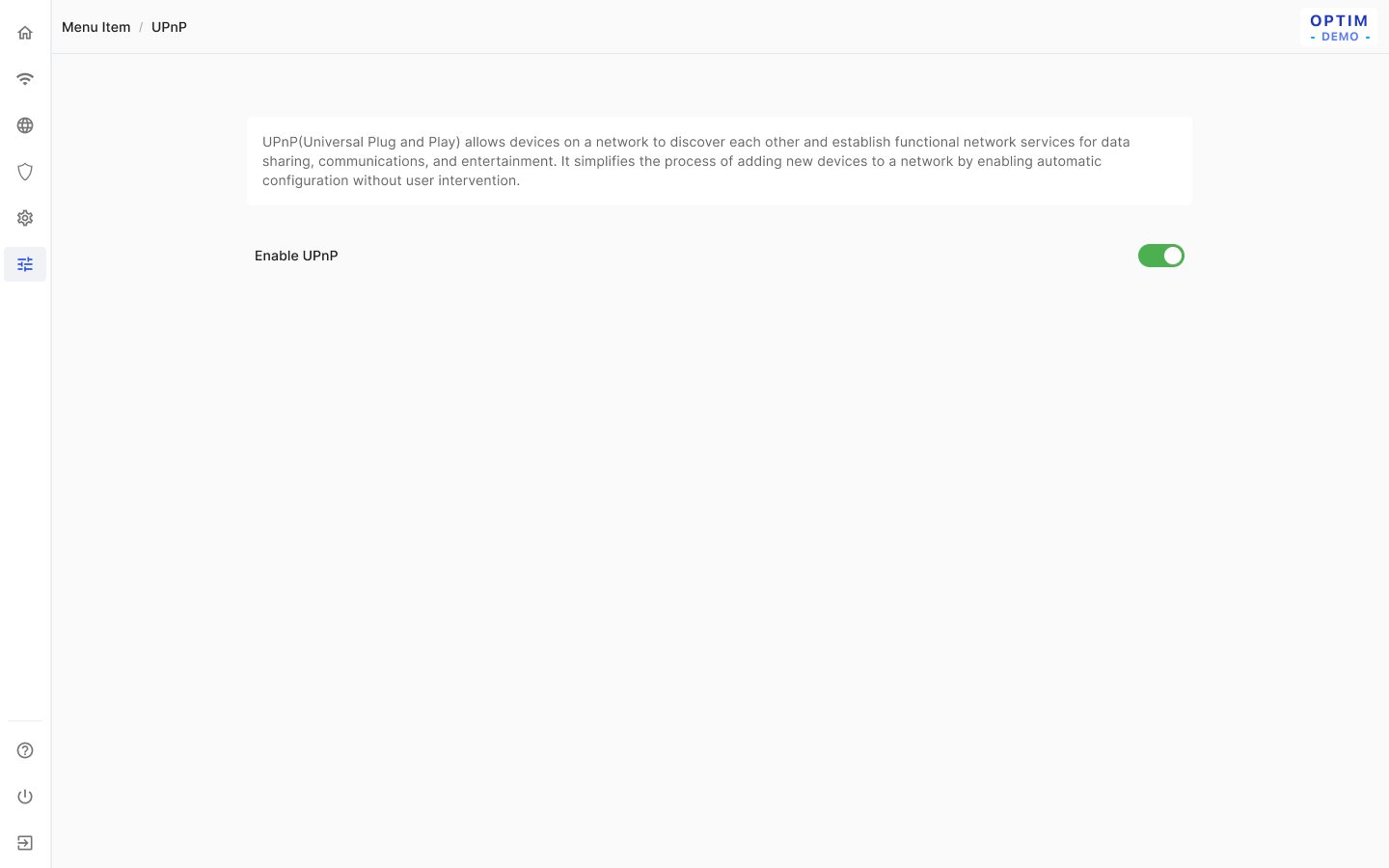
UPnP: a single enable toggle that applies immediately, with no Save & apply.
Setup & shell
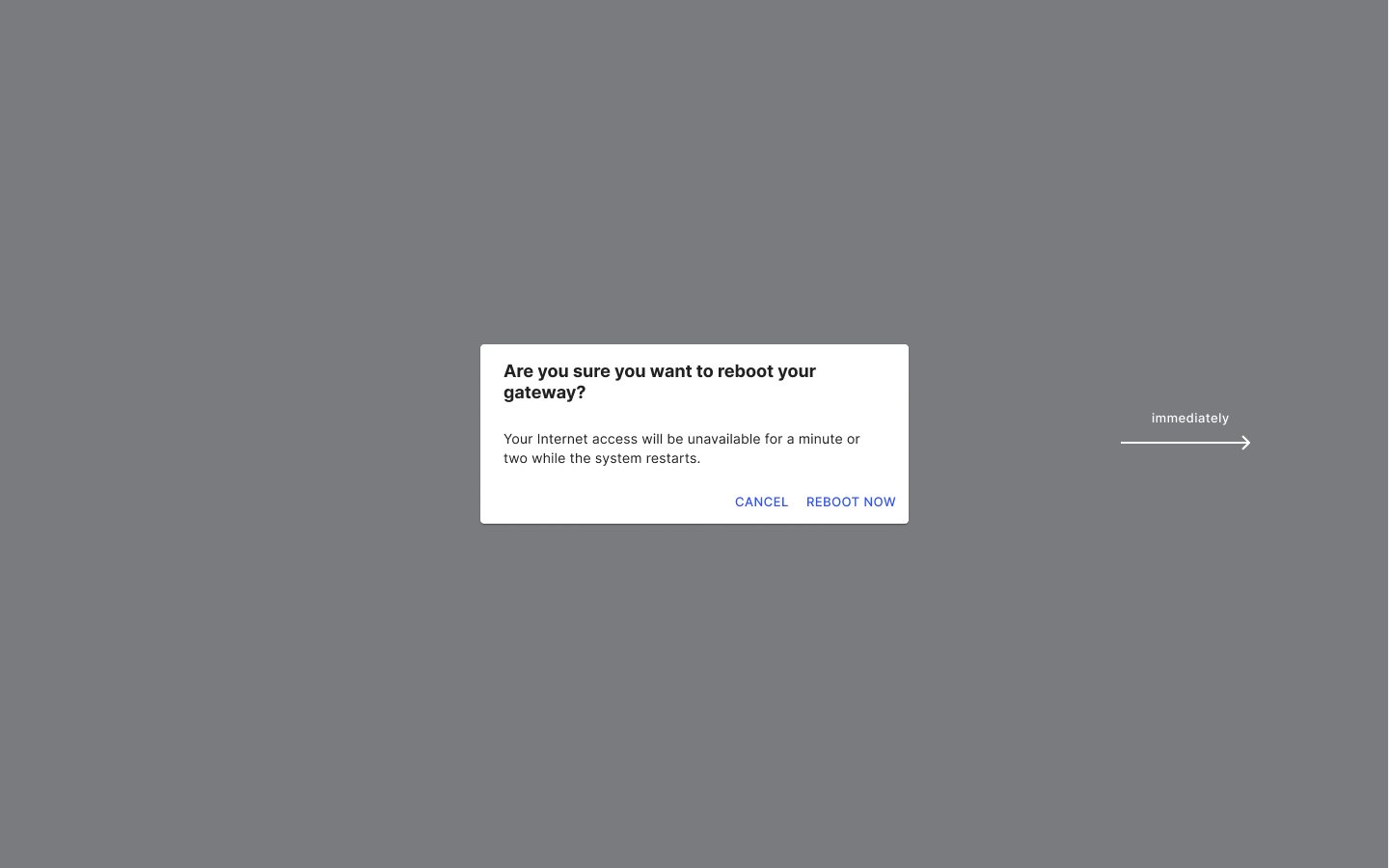
Reboot
Problem
A reboot or reset cuts the connection, and users reaching the router over WAN, or starting a restart from a feature page, need different endings.
Solution
Confirmation warns "Your Internet access will be unavailable for a minute or two", followed by a restarting screen. Users on WAN get "the connection is lost… reconnect". When a restart runs in the background without blocking the user, an OK button appears and sends them back to the right screen.
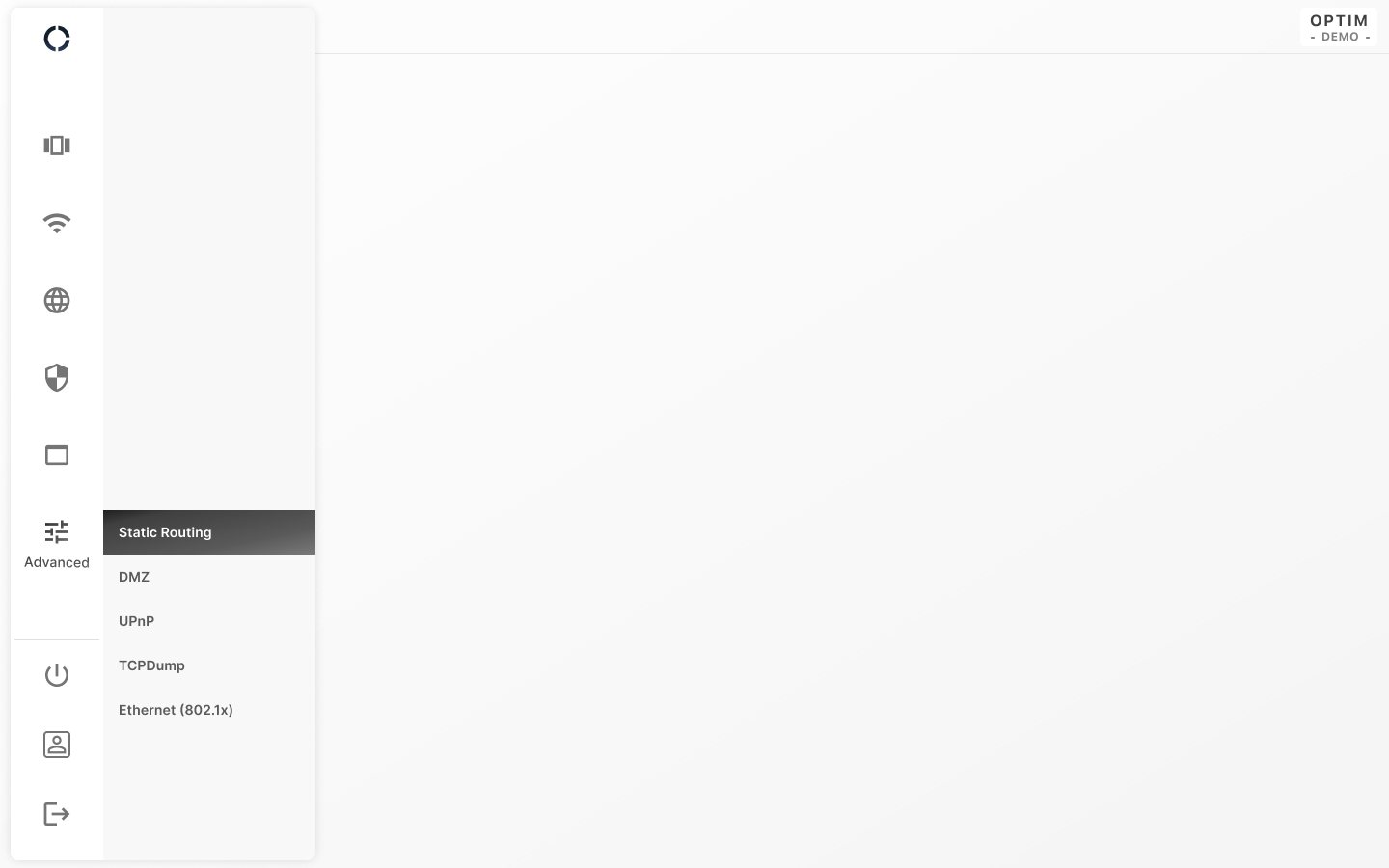
Header & sidebar
Problem
The navigation holds six sections with many sub-pages and has to stay usable in a narrow rail.
Solution
Hovering the rail expands the menu and keeps the current page highlighted, and only one submenu group opens at a time. Overflowing items stack from the bottom with a scrollbar that shows only while scrolling, and login lands on Overview (Home).
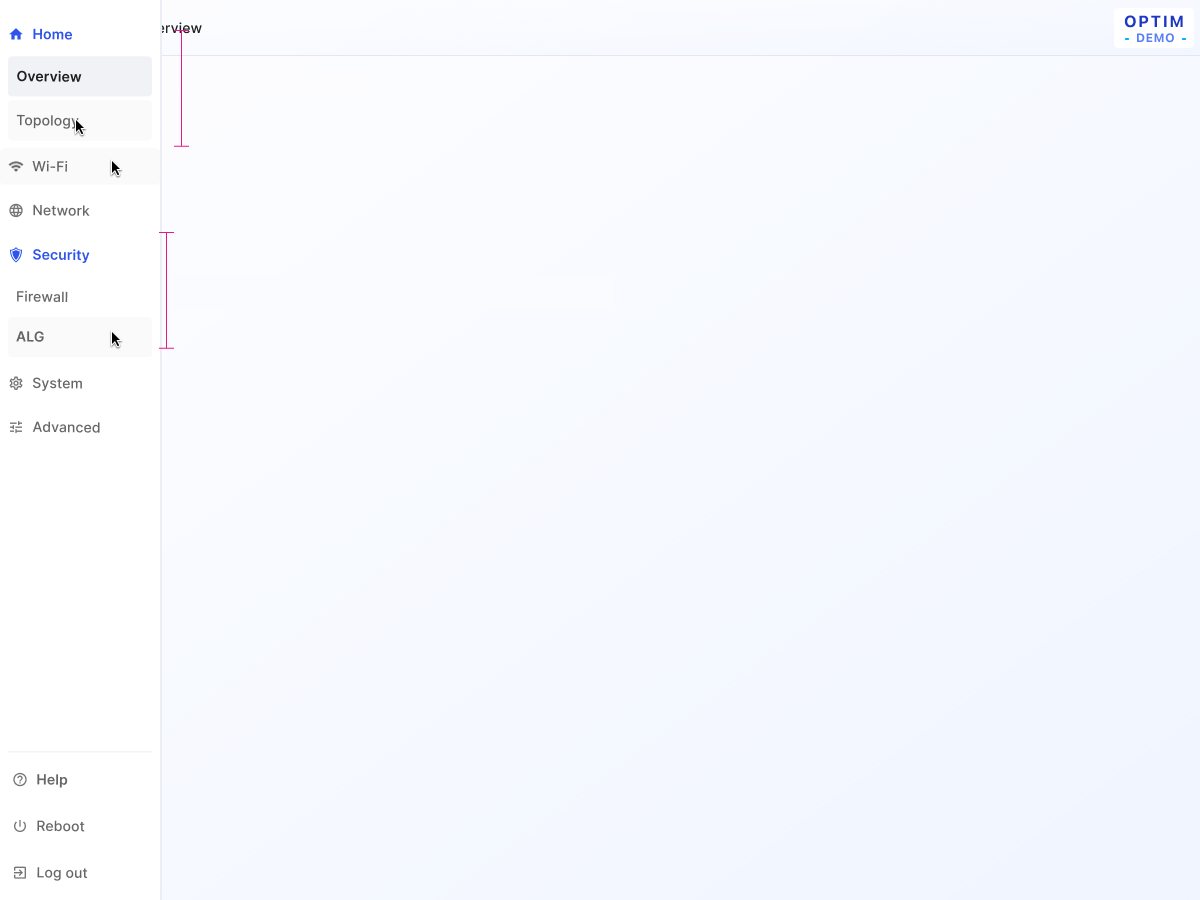
Header & sidebar enhancement
Problem
The earlier menu lost track of where the user was once they opened another group.
Solution
A focused child stays focused on hover. After Security is opened, Home stays expanded until a new child is chosen, and on returning to the menu only the current level is open. On mobile, focused items switch to a filled style, and Reboot's focused/pressed style needs special care.
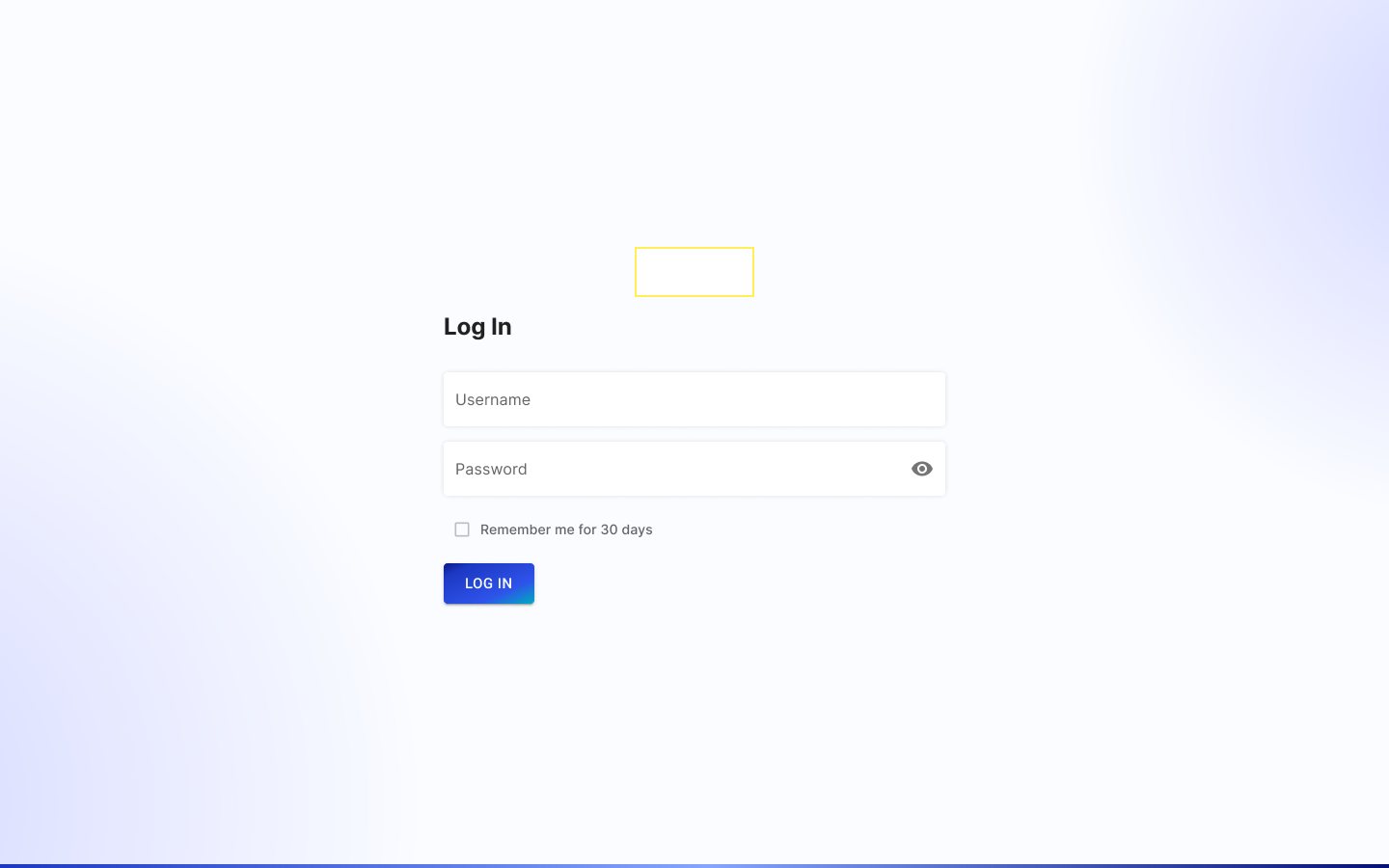
Log in & log out
Problem
Remembering credentials must not survive a deliberate log-out.
Solution
"Remember me for 30 days" is unchecked by default, and a log-out within that period drops the saved password. Fields follow MUI defaults without outlines, and a failed log-in clears the input.
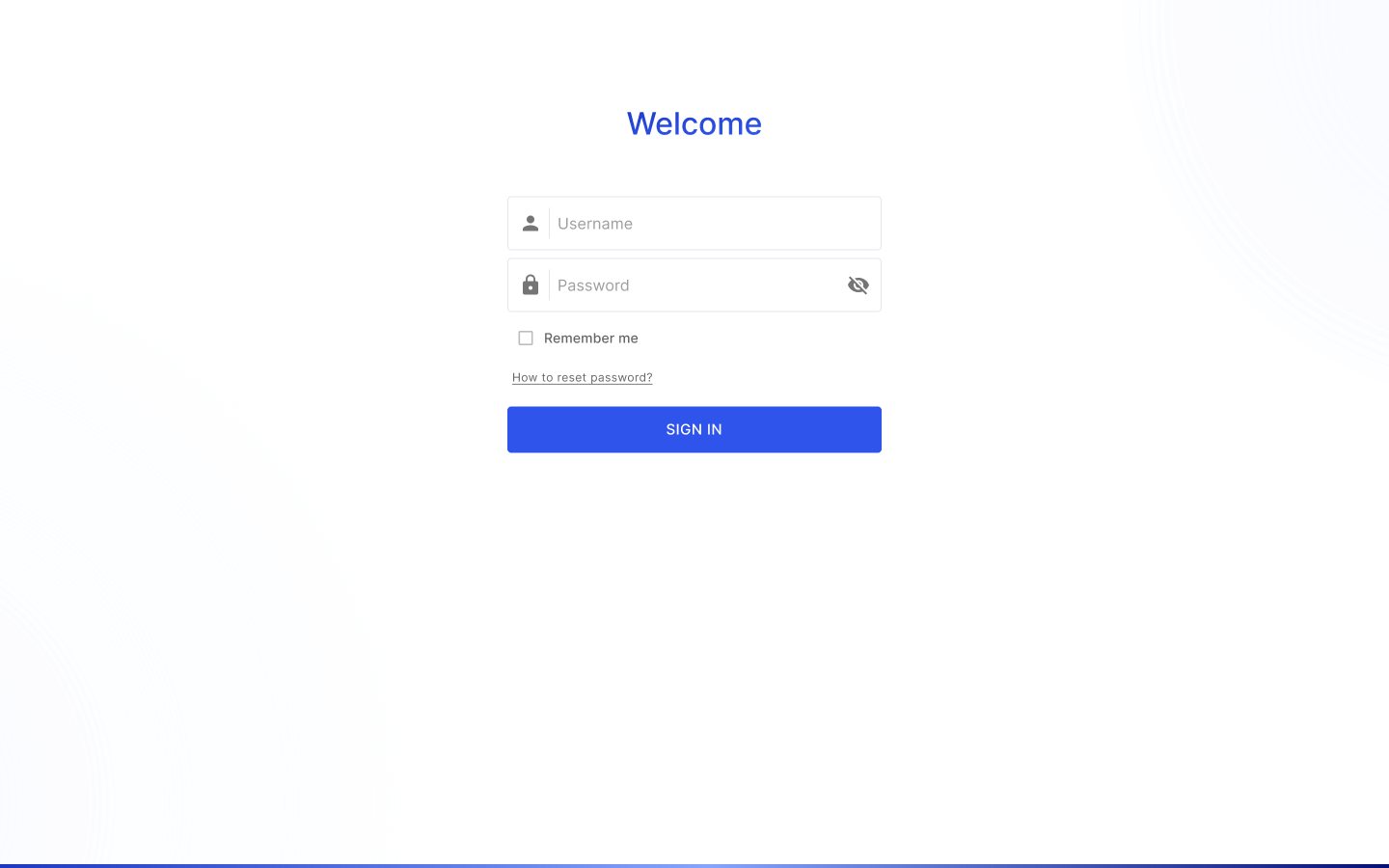
Log in enhancement
Problem
Users who forget their password had no way forward, and the remember-me scope was unclear.
Solution
The narrower card adds "How to reset password?", and the current version's Remember me stores the username only; a 7-day password memory is listed as a future option. Separate variants cover access via WAN and via LAN.
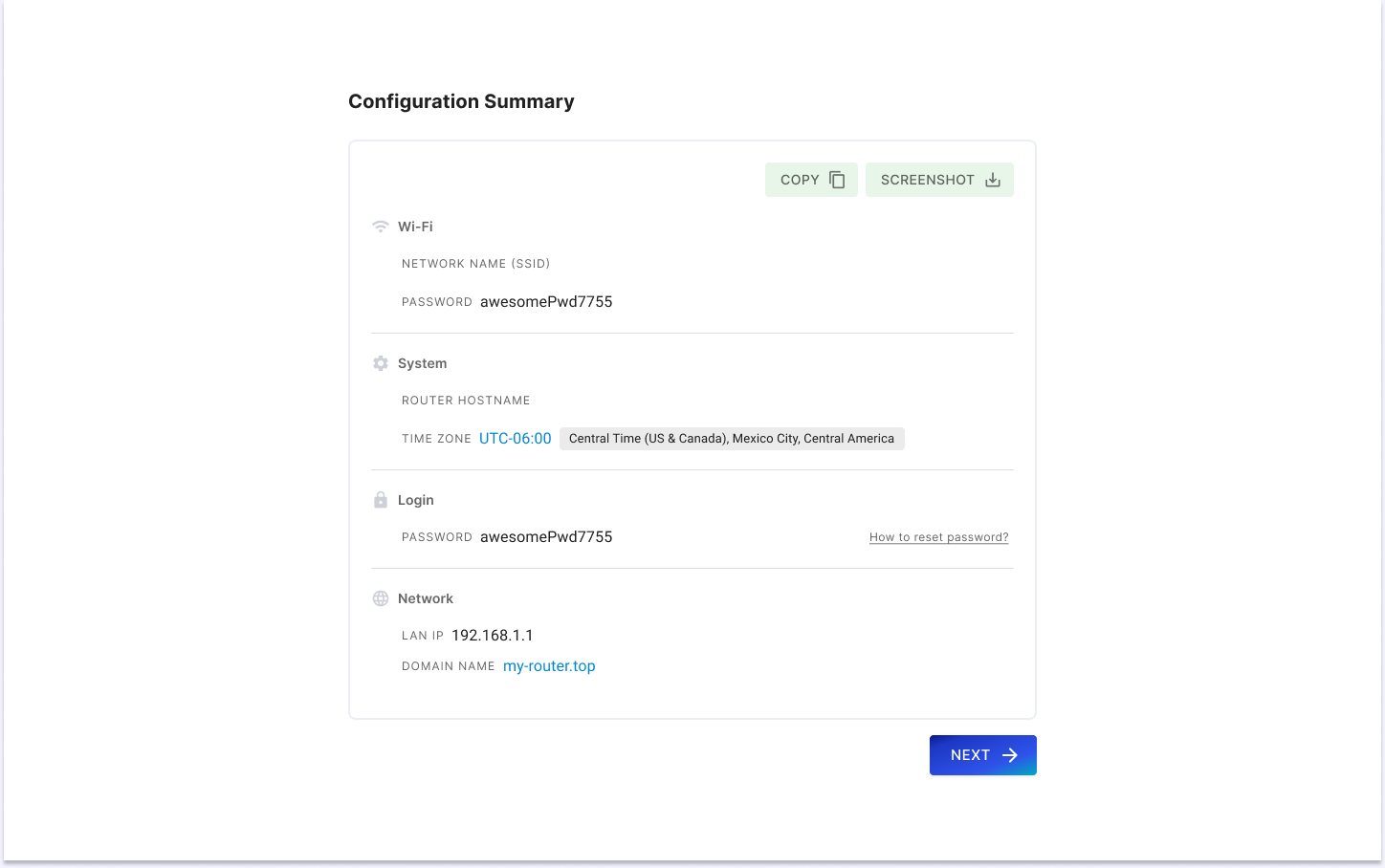
Setup wizard
Problem
The wizard runs for first-time users or after a reset, when the factory password can be blank and power can drop mid-setup.
Solution
The login screen skips password validation ("factory password can be blank"). On a power loss the wizard starts over, and otherwise it resumes. The page carries the hero-flow prototype, whose illustrations are flagged as not the latest.
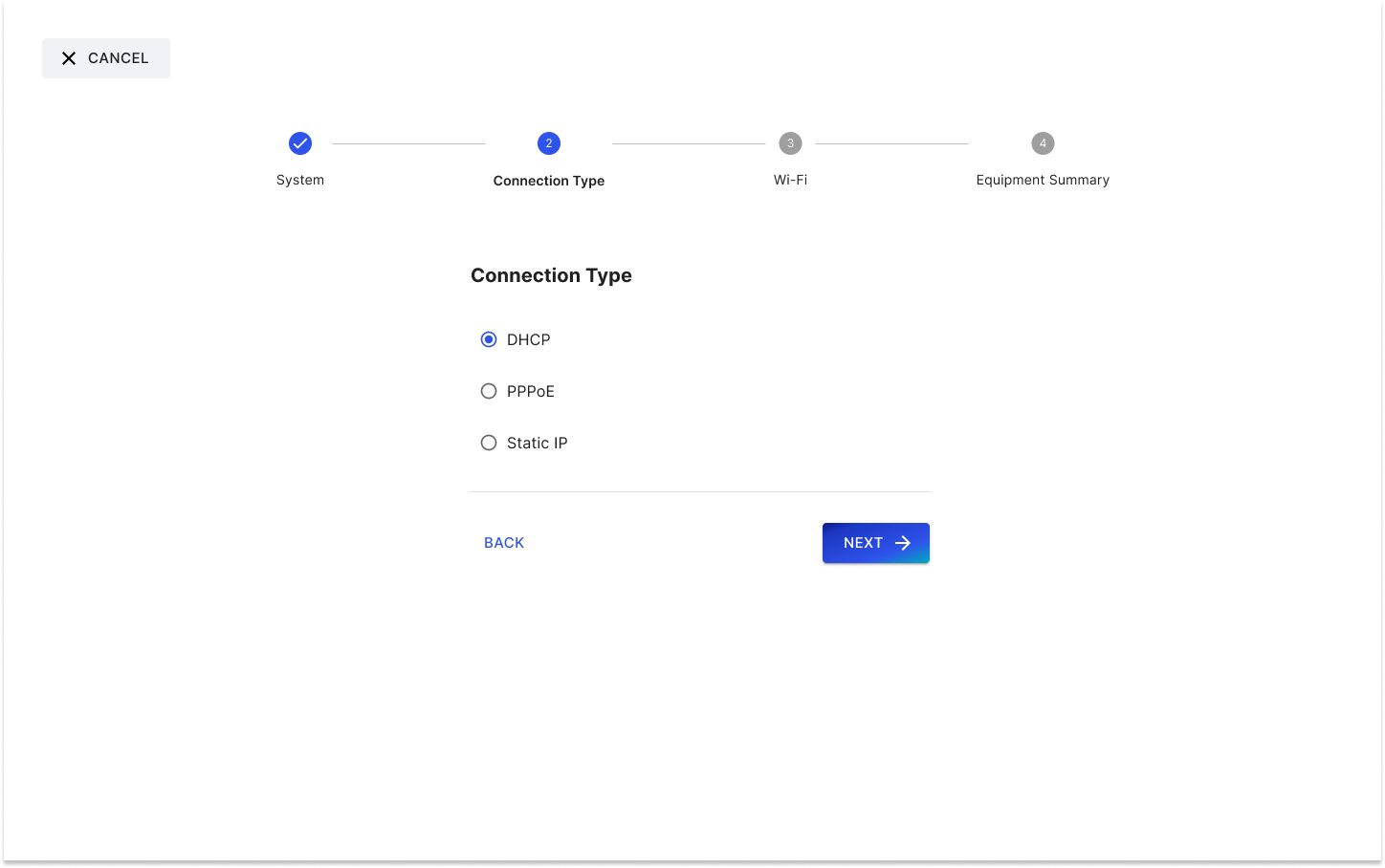
Setup wizard (first version)
Problem
First-time setup must be finished once, users go back and forth between steps, and extenders appear while they configure.
Solution
Cancel is hidden on the first entry ("At least one wizard process must be completed"), and going back keeps what was typed, with anything not pre-filled set to factory defaults. The backhaul SSID can't be changed, and newly detected extenders queue in every 15 seconds.
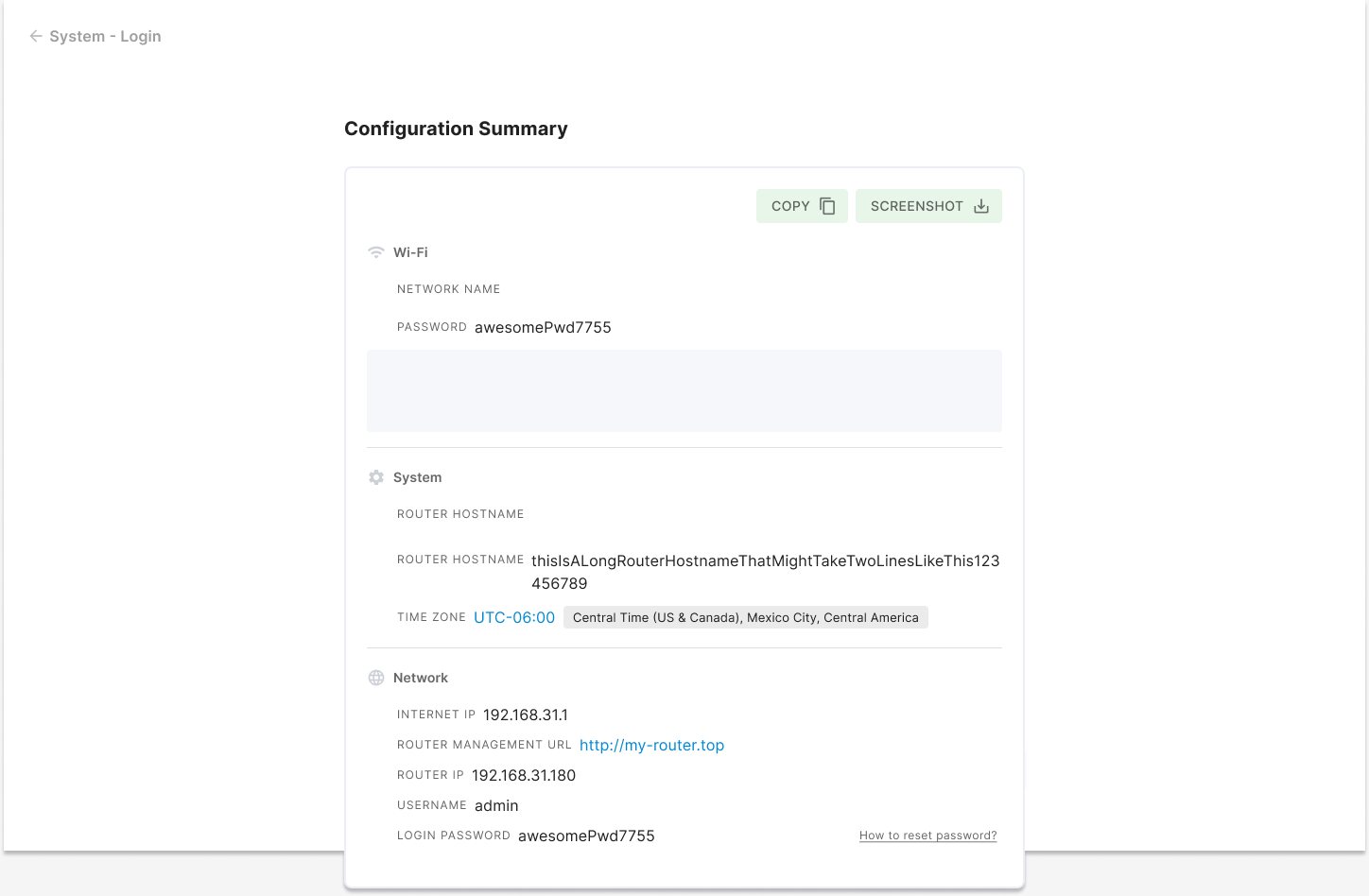
Setup wizard enhancement 2 & Help
Problem
Finishing setup restarts Wi-Fi, so the user may or may not be reconnected when they press Finish, and dialogs covered the page.
Solution
The summary adds inline messages and a Finish button, with separate next steps for when Wi-Fi is already back and the user reconnected versus not yet. Dialogs are centred without a backdrop, Smart Home Network is on when the ISP enables it, and a language switch is proposed for login and settings.
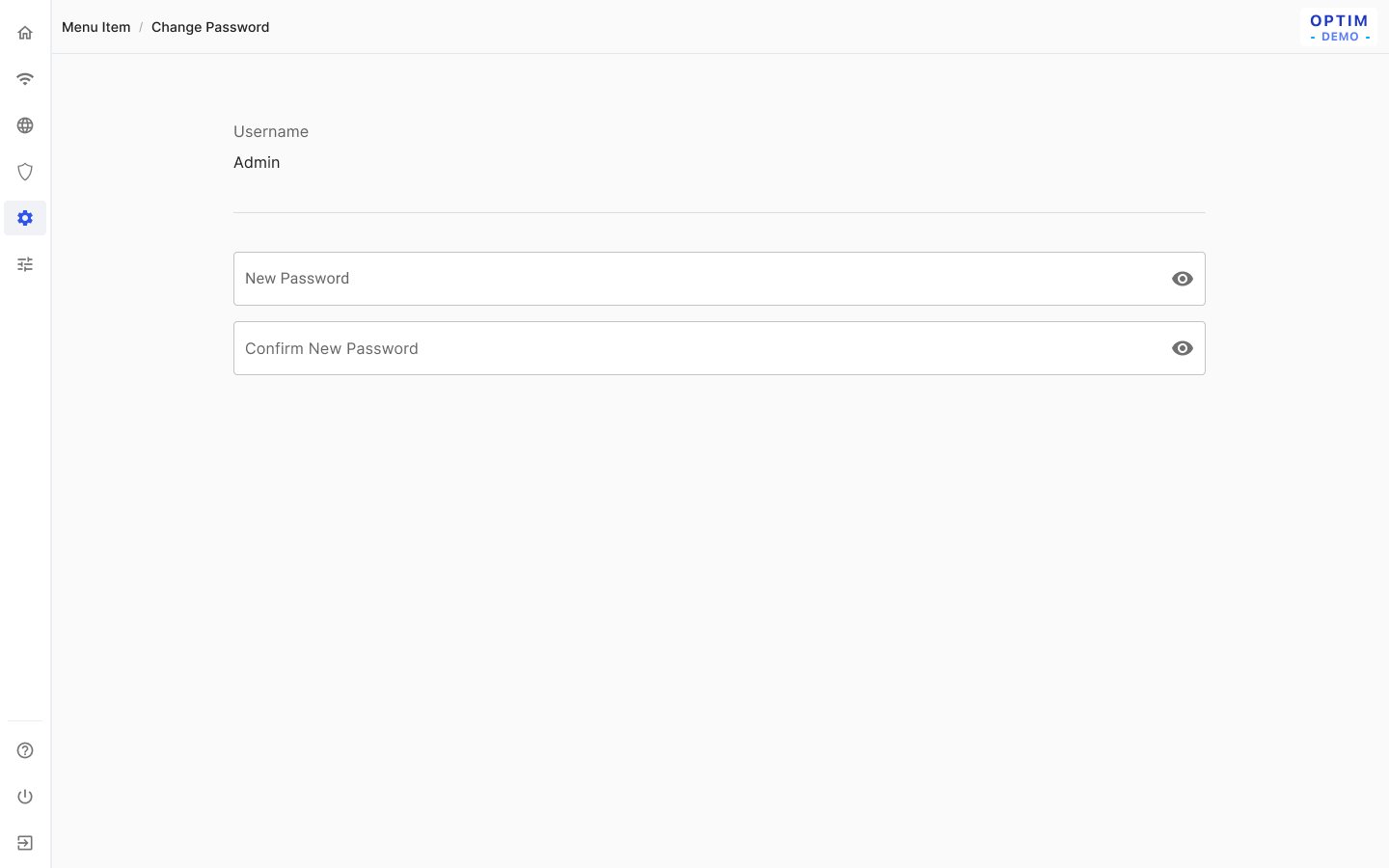
User (change password)
Problem
The admin changes the password from inside the app without an identity step.
Solution
Rules match the wizard: 8–63 characters with no spaces, hidden by default, and must match the confirmation ("Passwords do not match."). The avatar colour is random within #4–#11 and can't be changed by the user.
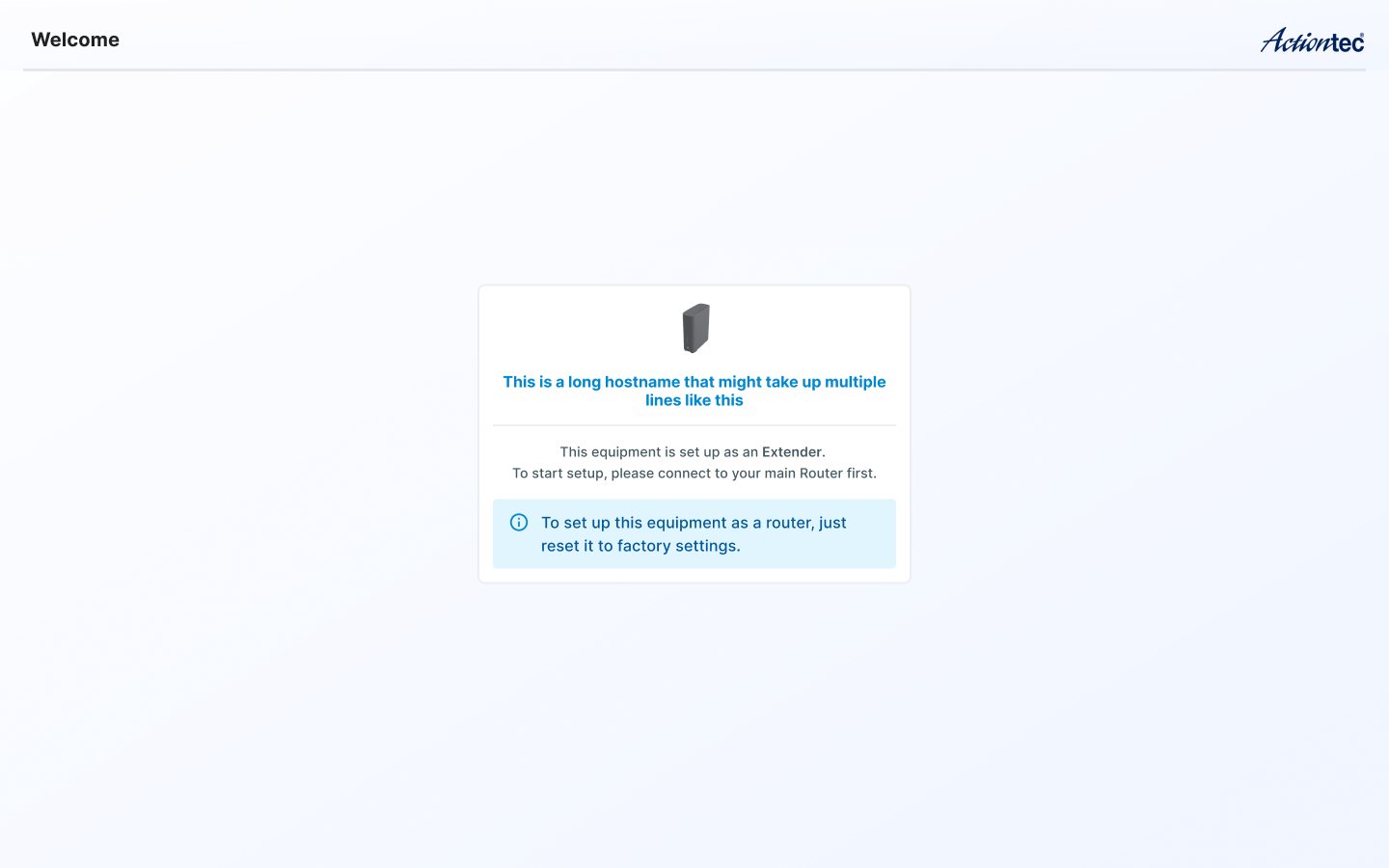
Extender view
Problem
A unit set up as an extender shouldn't offer router settings, but users still reach its web address.
Solution
The page opens without the login page and says "This equipment is set up as an Extender. To start setup, please connect to your main Router first." It suggests a factory reset to make it a router and shows "Extender" when the hostname can't be read.
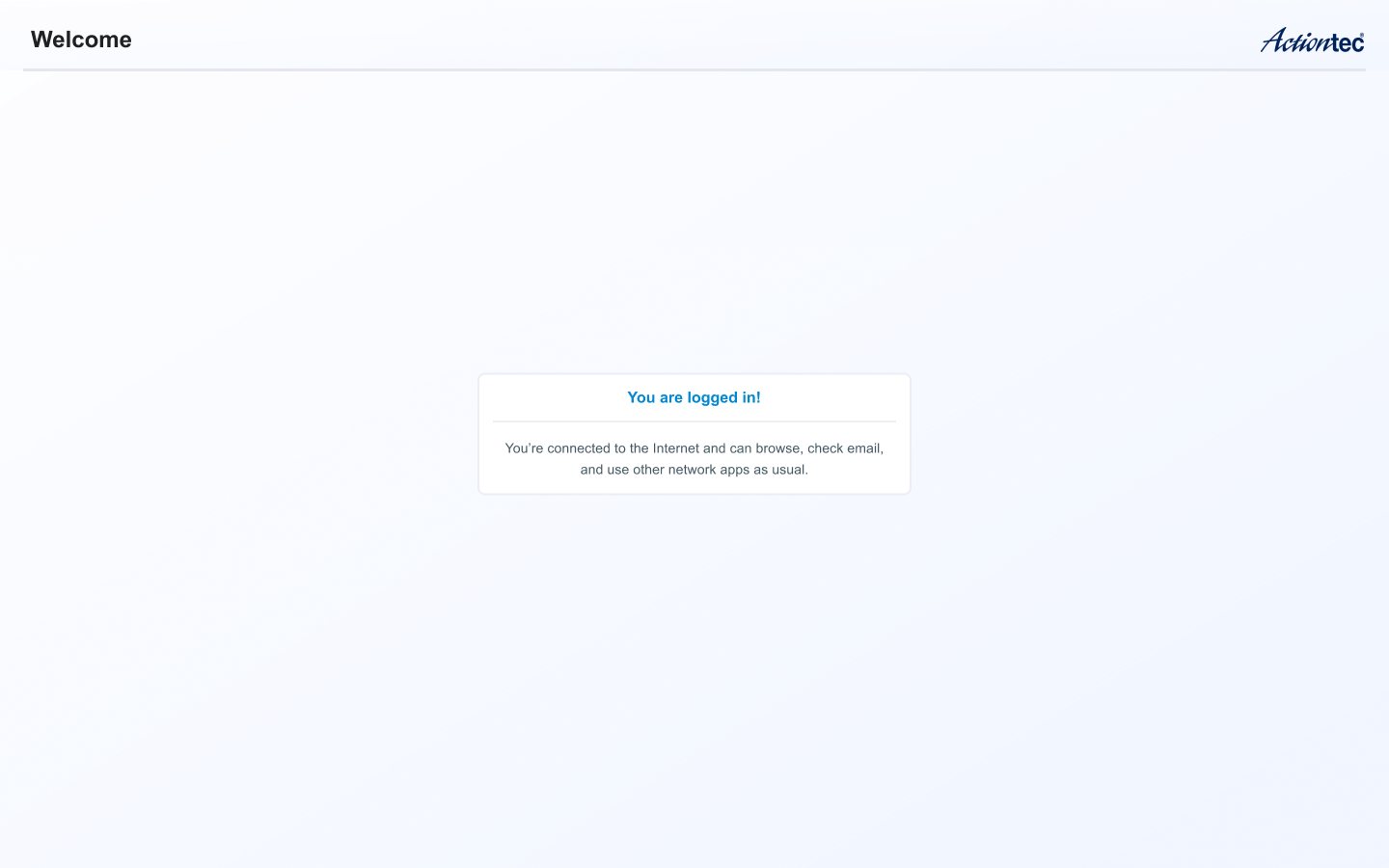
OpenWrt captive portal
Problem
The captive portal is served by OpenWrt/openNDS outside the main app, so it can't reuse the app's typography.
Solution
The page is set in Arial at weight 500 and carries the attribution "Copyright © The openNDS Contributors 2004-2025"; it has two states, a set-up prompt and a logged-in confirmation.
Loading state: a clockwise spinner over the dimmed app shell.
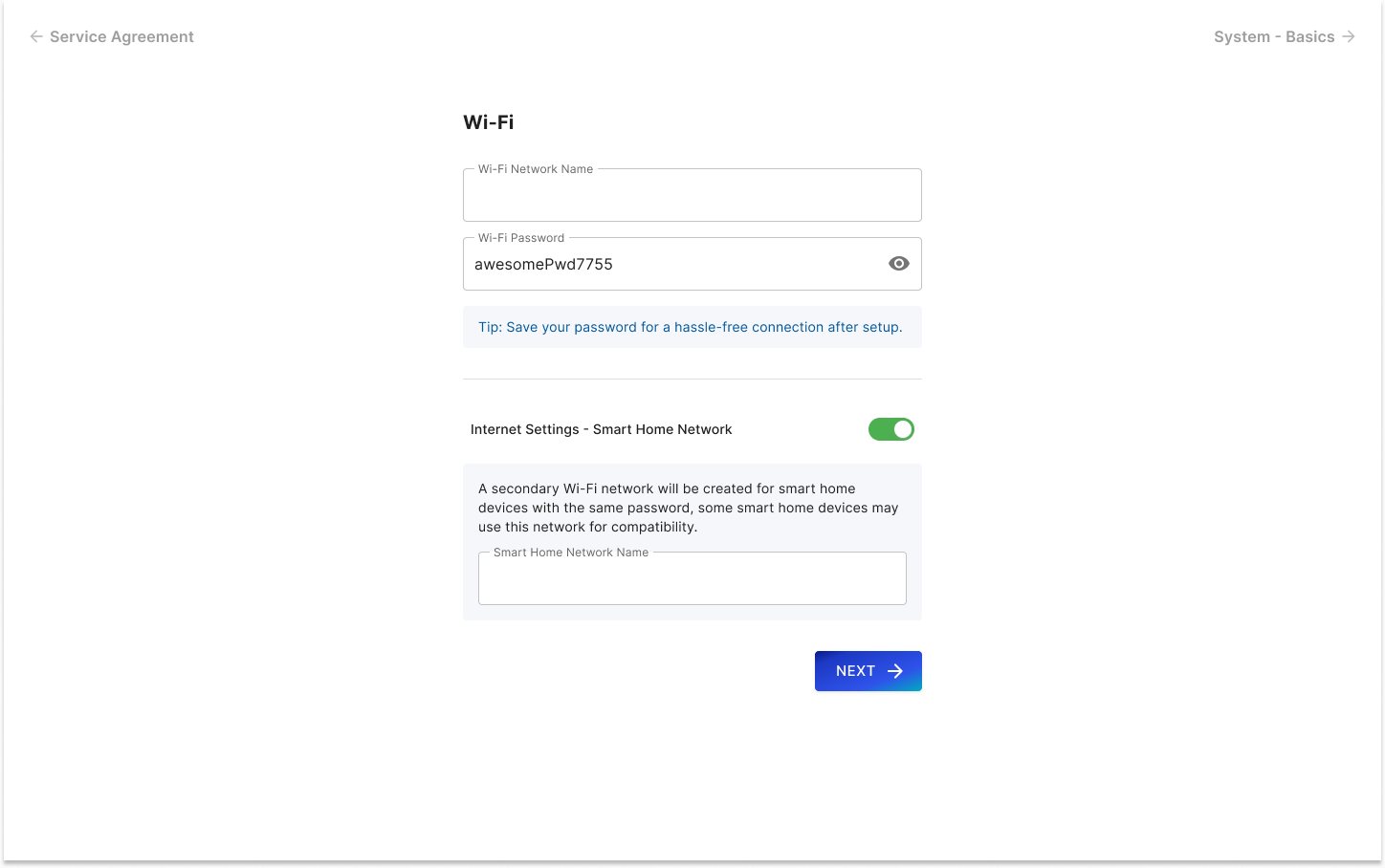
Setup wizard enhancement: Wi-Fi step with the Smart Home Network option.
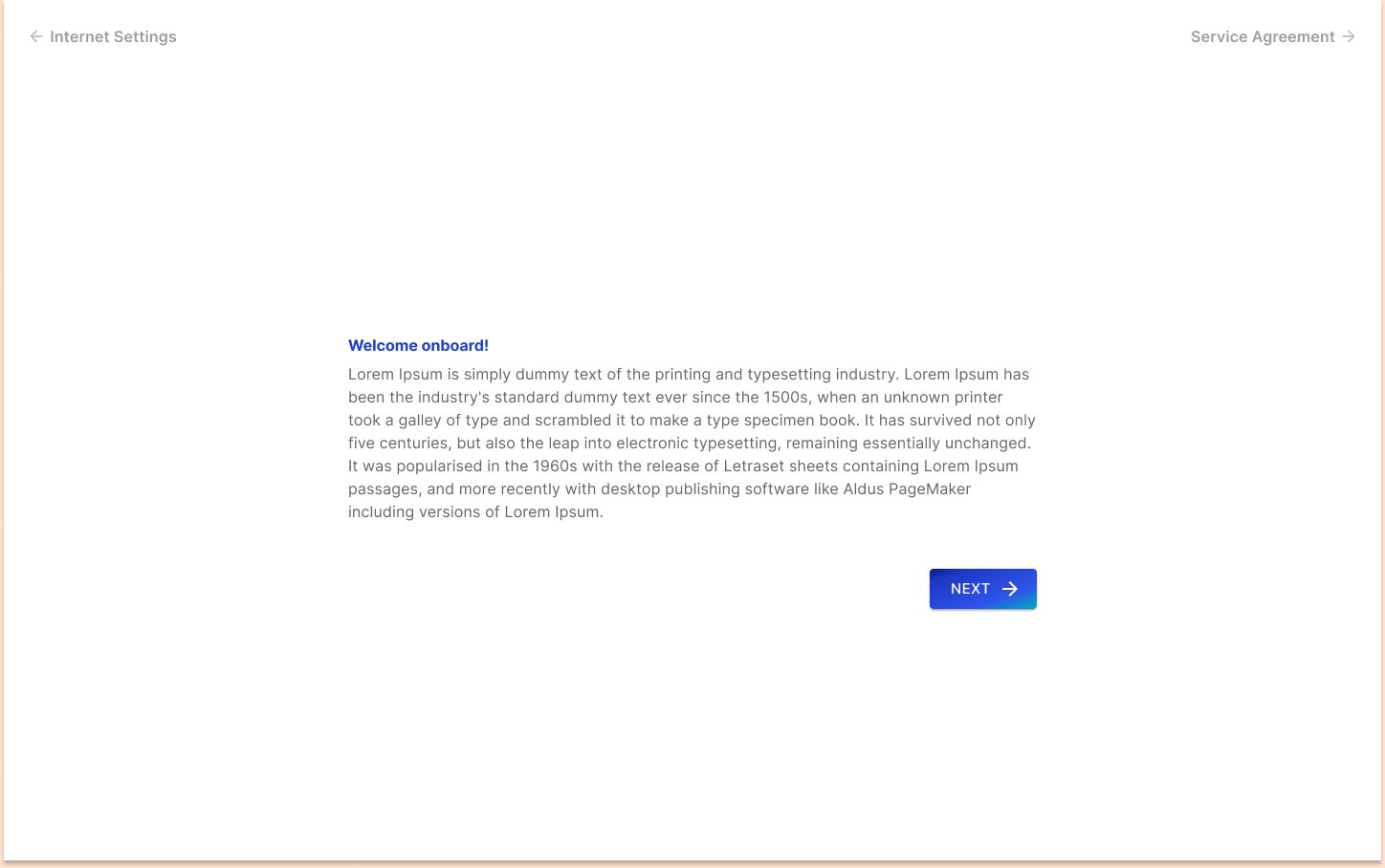
Service agreement step of the setup wizard (ISP-branded welcome placeholder).
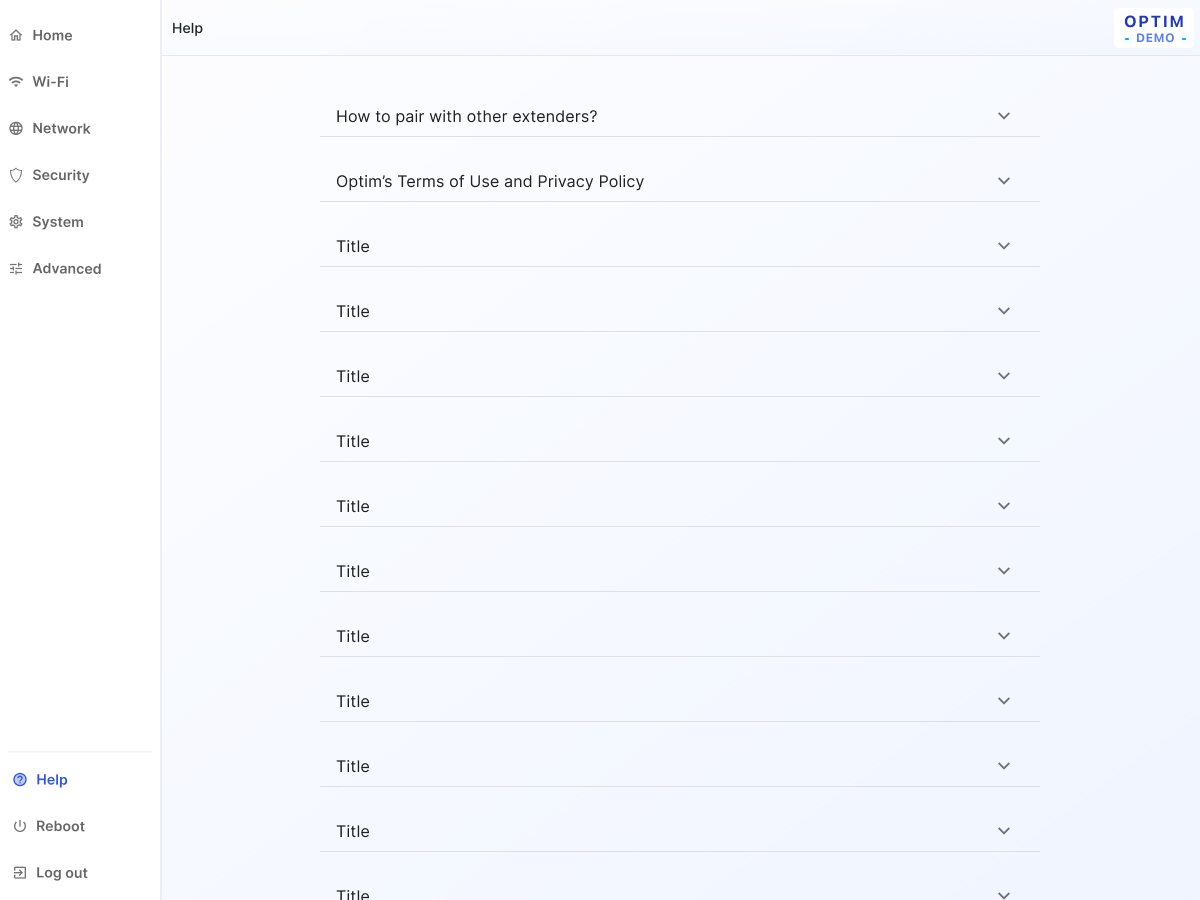
Help page inside the app: accordion of topics (pairing extenders, terms and privacy).

Fallback error screen: "Something went wrong" with Back to Home.
Future
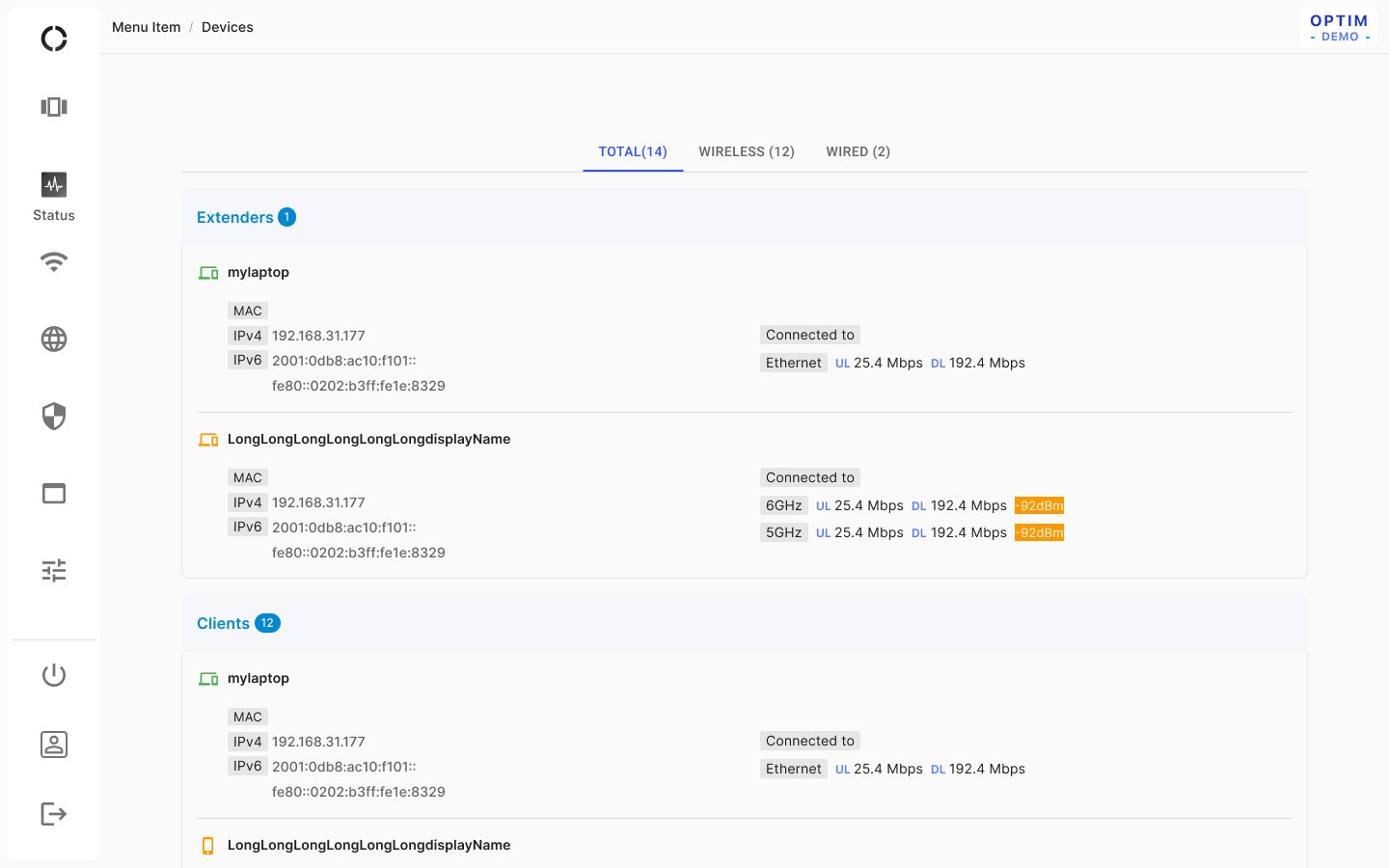
Status / Devices
Problem
The device list on the gradient background was hard to scan.
Solution
The background changes from gradient to grey/1 and the list grid to solid #FFF; the tabs are MUI tabs with a scrollable content area, and more work is deferred to "phase II".
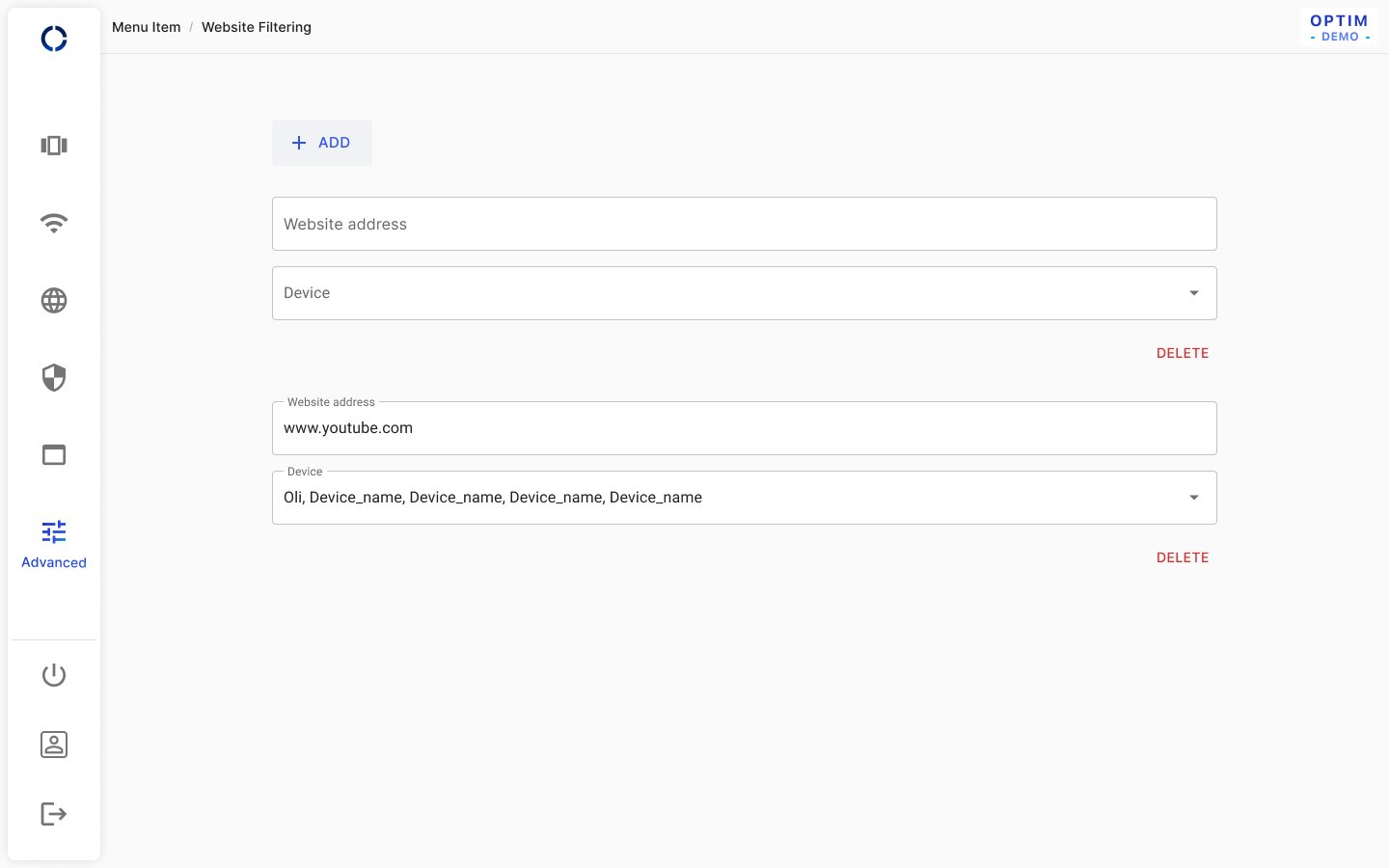
Website filtering (future): block website addresses per device.
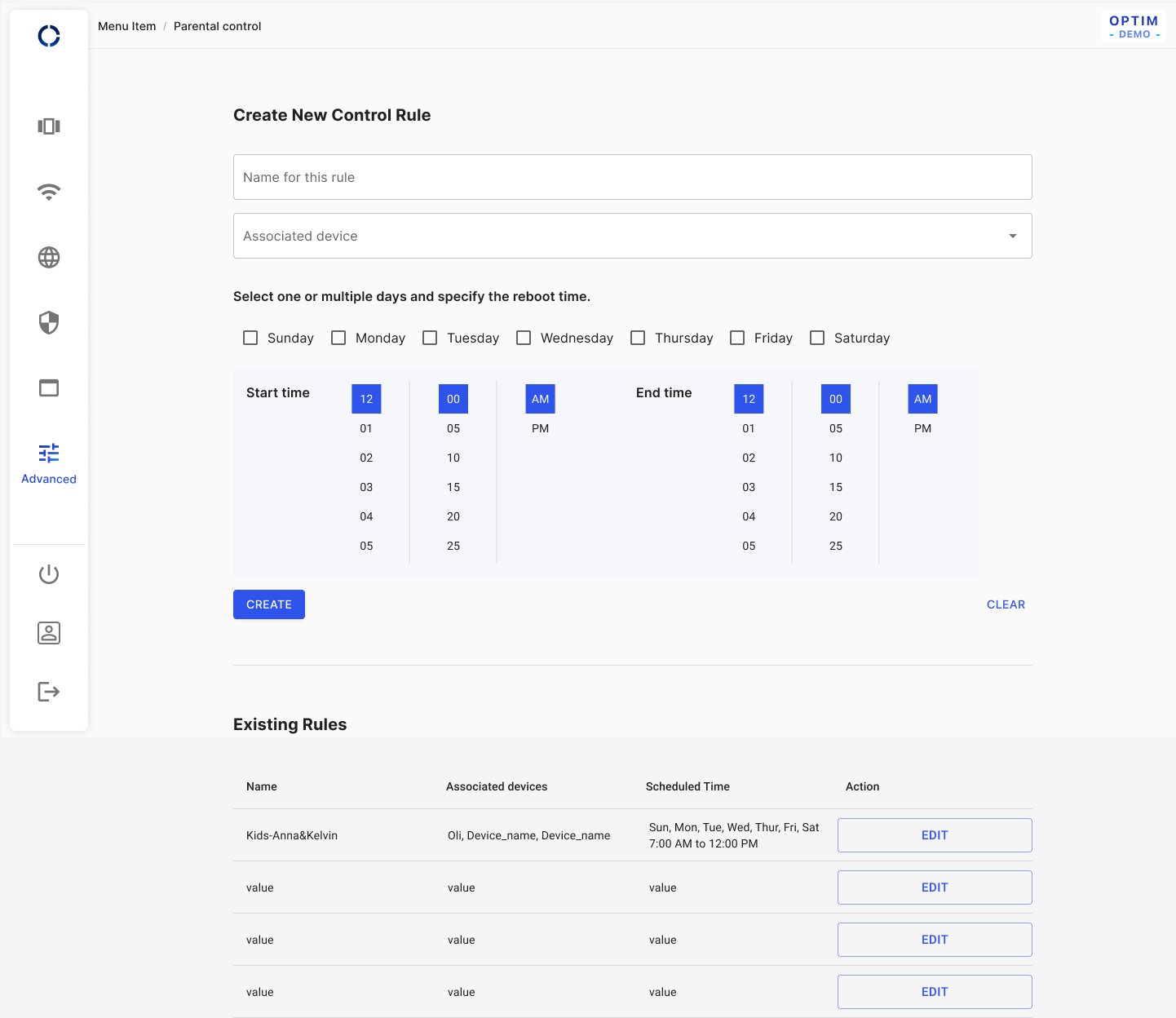
Parental control (future): create schedule rules per device and list existing rules.
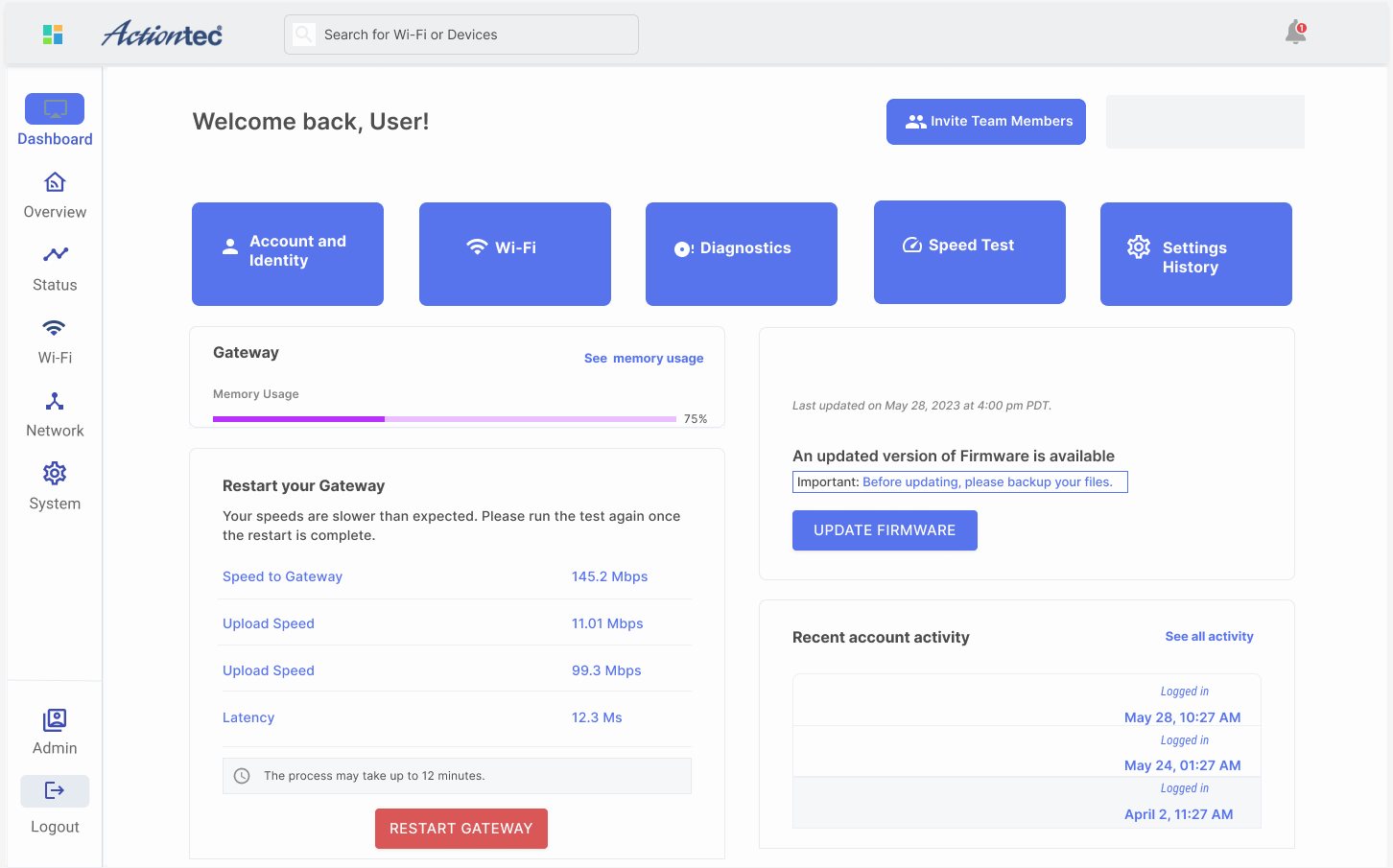
Dashboard concept (TBD): quick actions, gateway health, firmware update and recent activity.
Result
A design document of about sixty pages that the team develops from, each page marked with its status — work in progress, to modify, in review with stakeholders, in review with developers, or ready for development — and most drawn for desktop and for mobile web. Home and Topology are wired to real data, and the first release carries the new look across the product.
Beyond this Project
The main body of work closed in early 2025. What followed were fixes and refinements as the pages met development. The features kept for later — mesh networking, website filtering, parental control, and a dashboard that ties them together — stayed in the document as the groundwork for the next round